AI Trace and Knowledge
Read each Scops AI question step by step in AI Trace, and give Scops AI your own runbooks and notes in AI Knowledge.
Before you begin
- Both pages are in Settings, and show only while the AI assistant is on.
- AI Trace needs View AI Trace. AI Knowledge needs View AI Knowledge. Both show the words of your users, so give these permissions with care.
AI Trace
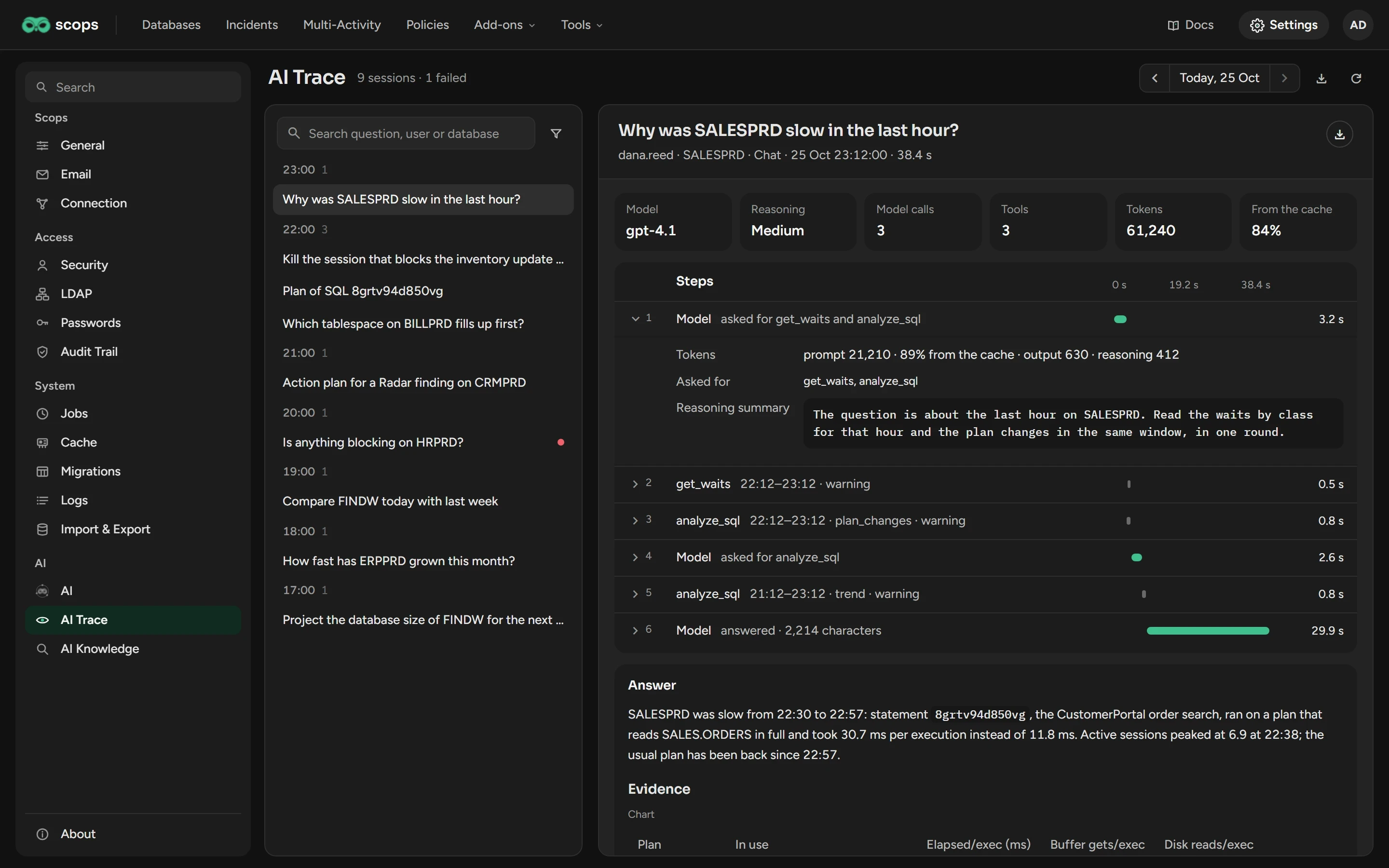
AI Trace records each question, and each analysis that Scops AI writes by itself, as one session.
Find a session
Open Settings › AI Trace. It opens on today and the newest session.
To see another day, click the arrows next to the date.
To filter, type in Search question, user or database, or switch on Failed only.
Click a session.
A red dot marks a failed session. The kind says what started it: Chat, SQL analysis, Radar plan, Weekly report or Projection.
Read a session
The tiles show the model, the calls, the tokens and the share from the cache. Click a step under Steps to see what it read or sent.
A failed session names its failed step. When Scops AI does not answer, look first at Error detail, under the answer. It holds the full reply of the endpoint.
Export a session
The download button of a session saves it as a JSON file. The button at the top saves the whole day. Send the file when you report a wrong answer.
AI Knowledge
Scops AI searches AI Knowledge when a question asks for your procedure, and before it recommends a risky operation, such as a restore. An answer that used a document names it.
Add a document
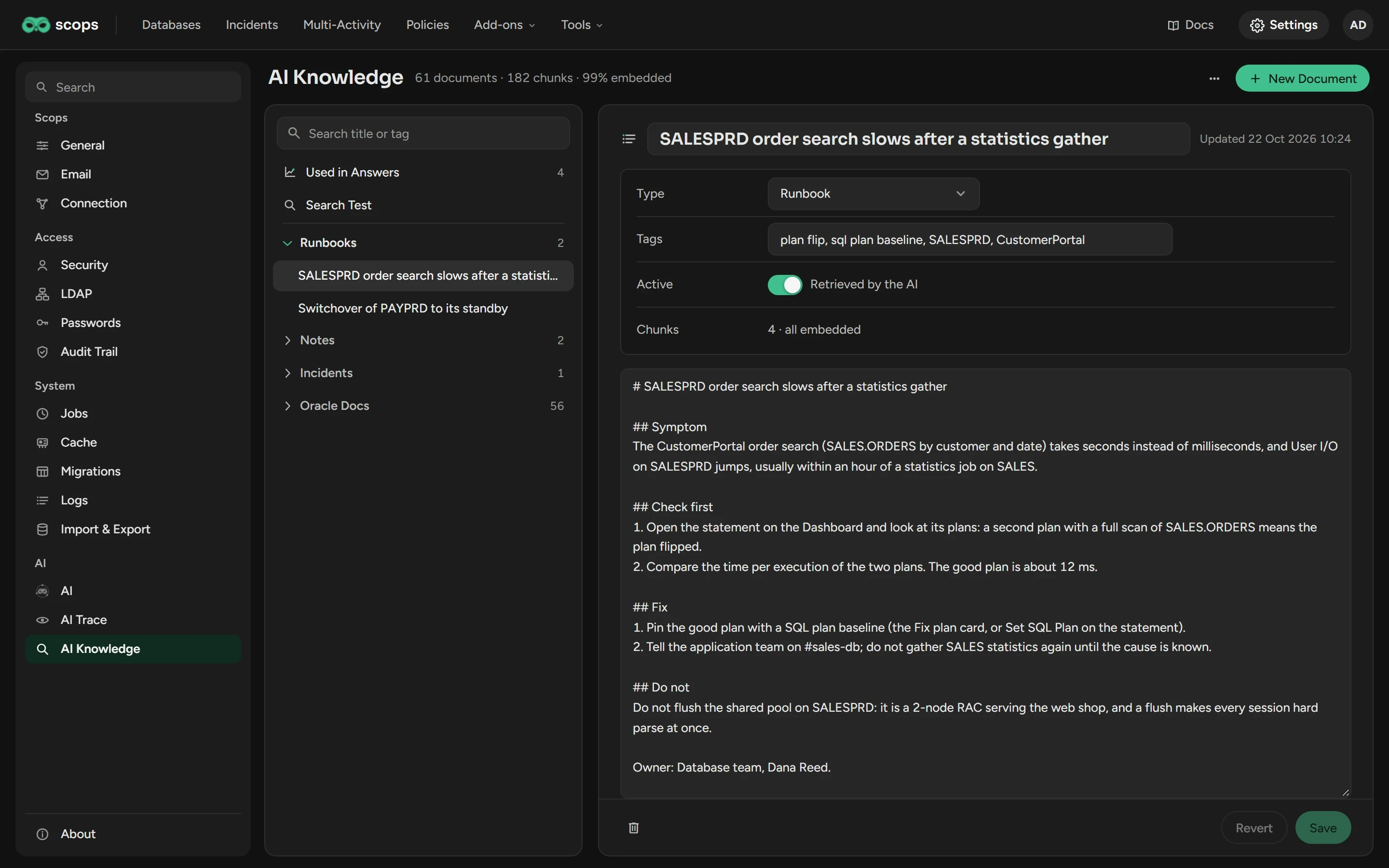
Open Settings › AI Knowledge and click New Document.
Type the title, select the Type, and add Tags, such as
ORA-04031, shared pool.Write the content in Markdown or plain text, one idea for each paragraph. Scops finds each paragraph separately.
Click Save.
| Type | What to put in it |
|---|---|
| Runbook | A procedure: symptom, diagnosis, fix. Scops AI follows it when the problem matches. |
| Note | Facts of your site, such as windows, names and rules. |
| Incident | A past incident: what happened, the cause and the fix. |
| Oracle doc | Parts of the Oracle documentation or support notes. Runbooks, notes and incidents rank higher. |
On an OpenAI profile, a question finds a paragraph by its words and its meaning. If the endpoint was not available, click Embed What Is Missing in the Library menu. On a Claude profile, a question finds words only.
All users who can open AI Knowledge can add, change and delete documents. Keep confidential and personal data out: Scops sends the matching parts to the model.
Turn off or delete a document
To keep a document but stop Scops AI from reading it, switch Active off. The trash button deletes a document.
Load the starter library
Each installation has 56 Oracle docs written for Scops AI. Scops loads them when it starts, and never overwrites a document that you changed. To load them now, click Load the Starter Library in the Library menu.
A starter document that you delete comes back. To keep one out, switch Active off.
Test what Scops AI finds
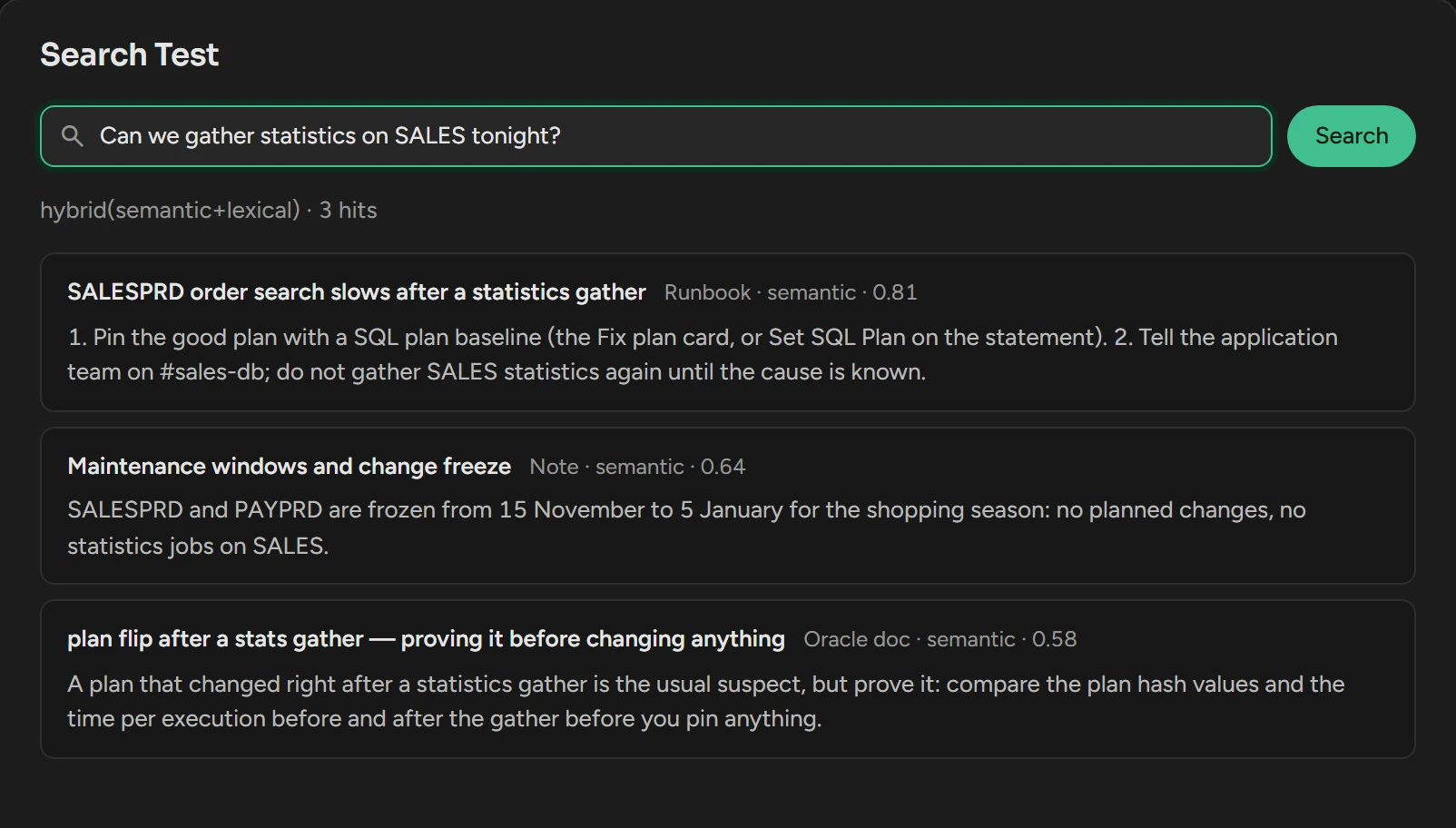
Click Search Test.
Type a question as a user would, and click Search.
Each hit shows its document, its score and its text. Used in Answers lists the last 50 questions whose answer read AI Knowledge.
Related
Updated October 29, 2026