Settings overview
Open Settings, find the section of a setting and save a change.
Before you begin
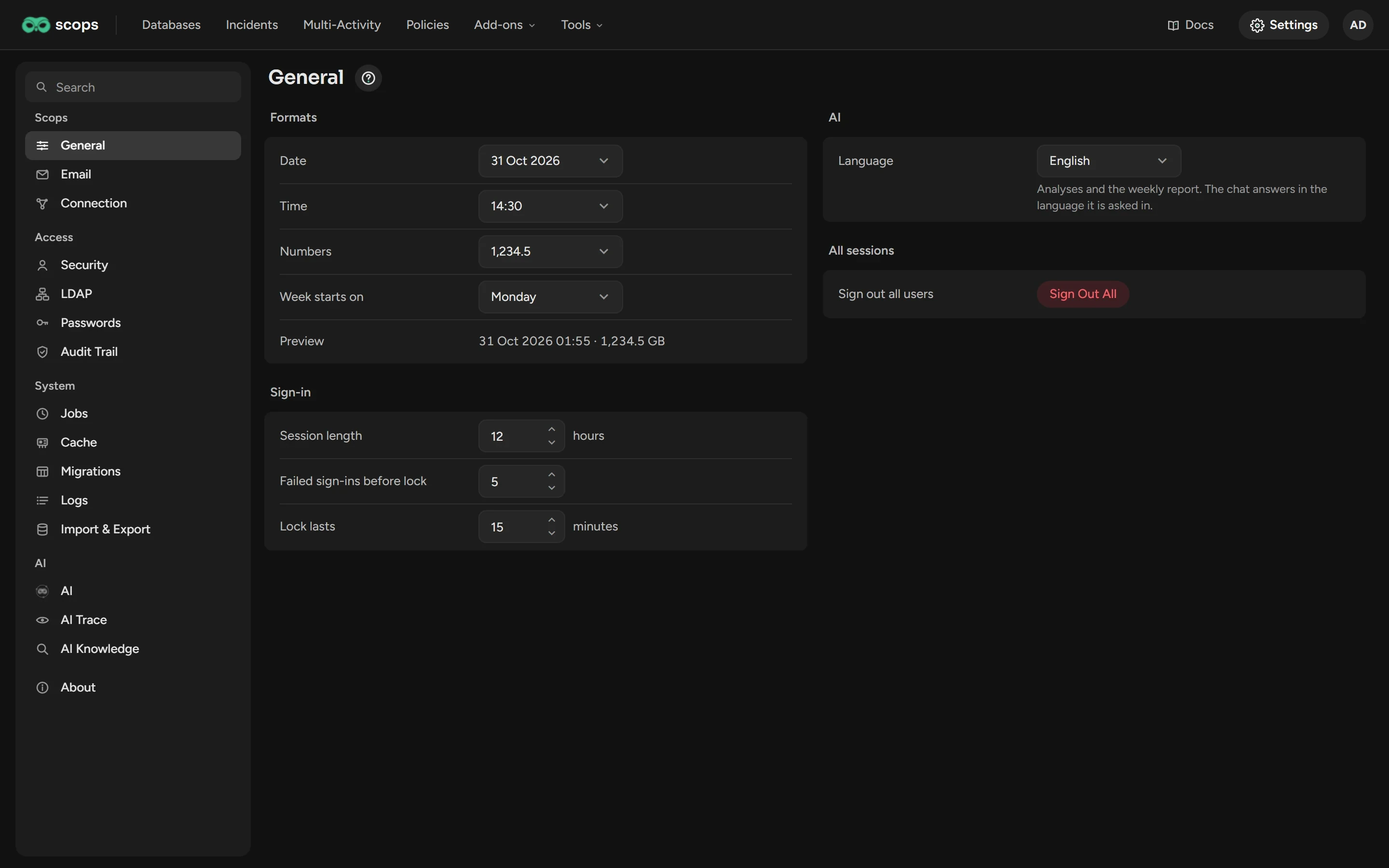
- The sidebar shows only the sections that your role can open. Most sections need Manage Settings.
Find a section
Click Settings at the right end of the top bar.
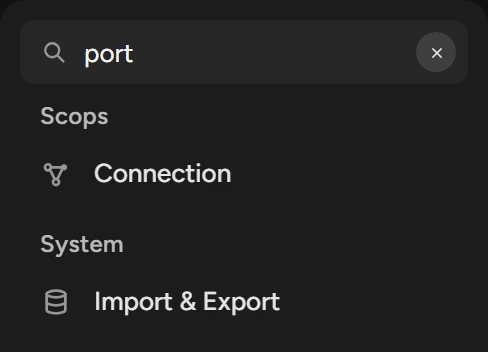
Click a section, or type in Search. Search also finds what a section holds: port finds Connection.
A mark beside Migrations means that the repository schema is incomplete, and Scops does not collect. See Migrations.
Save a change
Change a value. Revert and Save show beside the group title.
Click Save. Each group saves alone.
If the group shows Takes effect after both services restart., restart ScopsApi, then ScopsWeb.
Every section
| Section | What it is for | Permission |
|---|---|---|
| Scops | ||
| General | Formats, sign-in limits, AI language | Manage Settings |
| Mail server, recipients, traps | Manage Settings | |
| Connection | Pools, timeouts, ports | Manage Settings |
| Access | ||
| Security | Users, roles, credentials, groups | View Security; to change, the Manage permission of the tab |
| LDAP | Directory sign-in | Manage Settings; mappings need Manage users |
| Passwords | Your password, the stored-password key | Manage Settings; the key needs Reveal passwords |
| Audit Trail | Changes to critical data | View Audit Trail |
| System | ||
| Health | The repository: space, limits, alerts | Manage Settings |
| Jobs | The background jobs | Manage Settings |
| Cache | The data in memory | Manage Settings |
| Migrations | The repository schema | Manage Settings |
| Logs | Errors, sign-ins, actions | Manage Settings |
| Import & Export | Move databases to another server | Manage Settings and Manage databases |
| AI | ||
| AI | The model and the AI features | Manage Settings and Manage AI settings |
| AI Trace | Each question to Scops AI | View AI Trace |
| AI Knowledge | The documents that Scops AI reads | View AI Knowledge |
| Foot of the sidebar | ||
| About | Version, maintenance mode, edition | Manage Settings; the key needs Manage edition key |
When Scops AI is off for all users, AI Trace and AI Knowledge are hidden.
Related
Updated November 9, 2026