Multi-SQL
Run one SQL statement or PL/SQL block on the databases that you select, and compare the answers in one table.
Before you begin
- You need Run scripts.
- The monitoring account only reads. A change needs a stored credential with the grants for it.
- Multi-SQL does not refuse Diagnostics or Tuning Pack views. Your Oracle licenses must cover what you read.
Run a statement
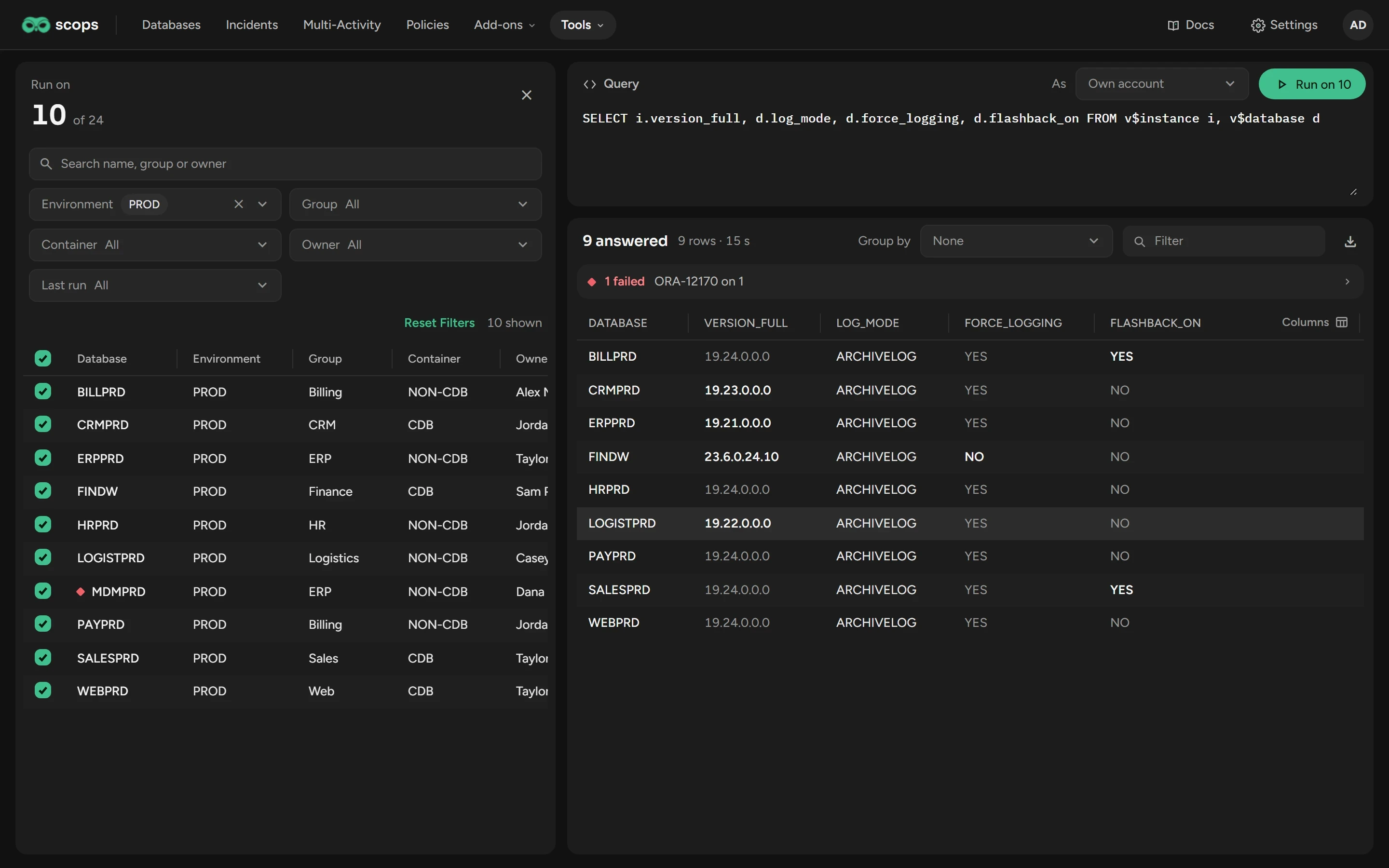
Open Tools › Multi-SQL and select the databases. The search box and the filters select nothing.
Write one statement or one PL/SQL block.
Under As, keep Own account, or select a credential.
Click Run on n, or press Ctrl+Enter.
Check the statement, the account and the databases in the confirmation. Click Run on n.
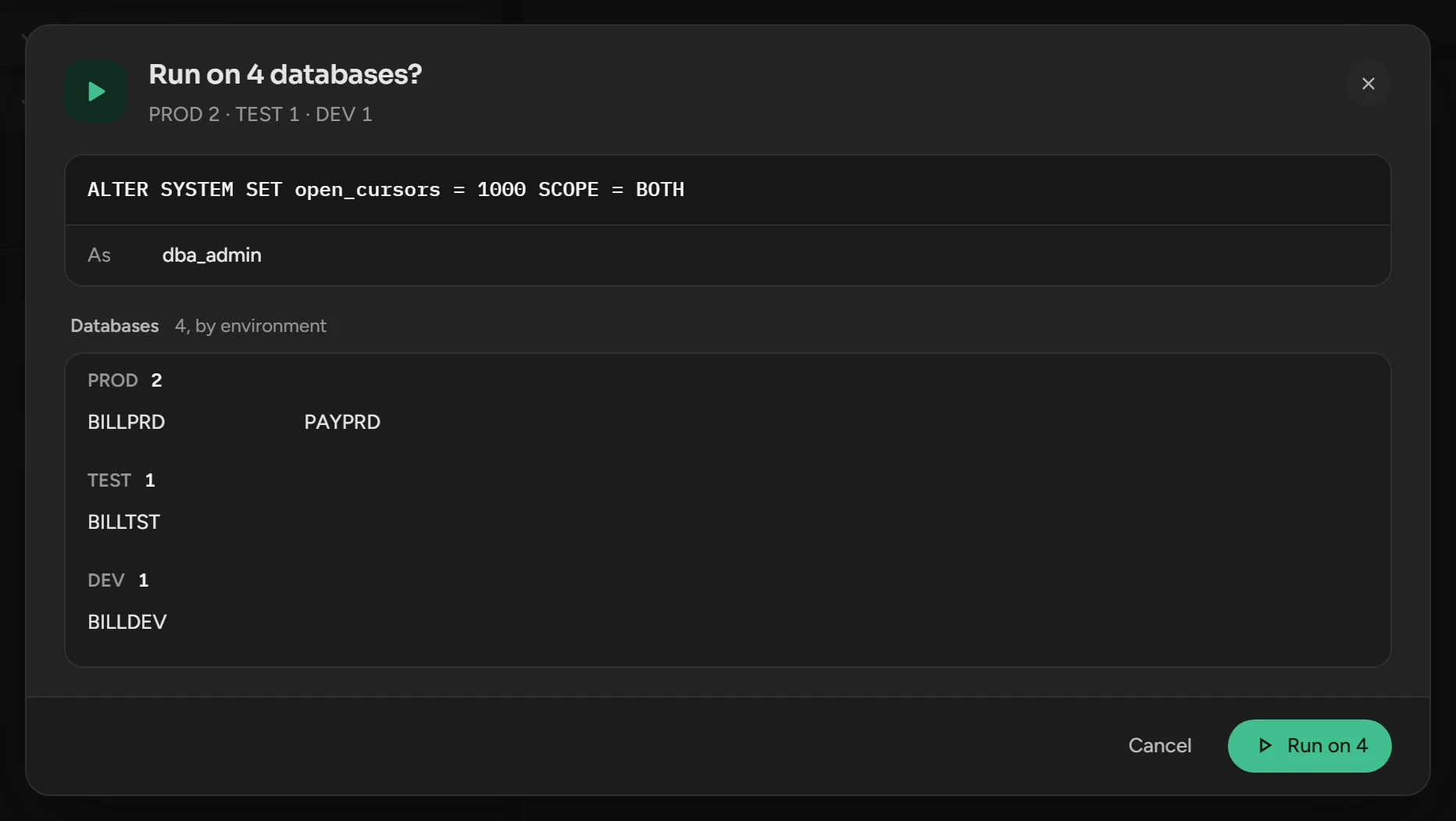
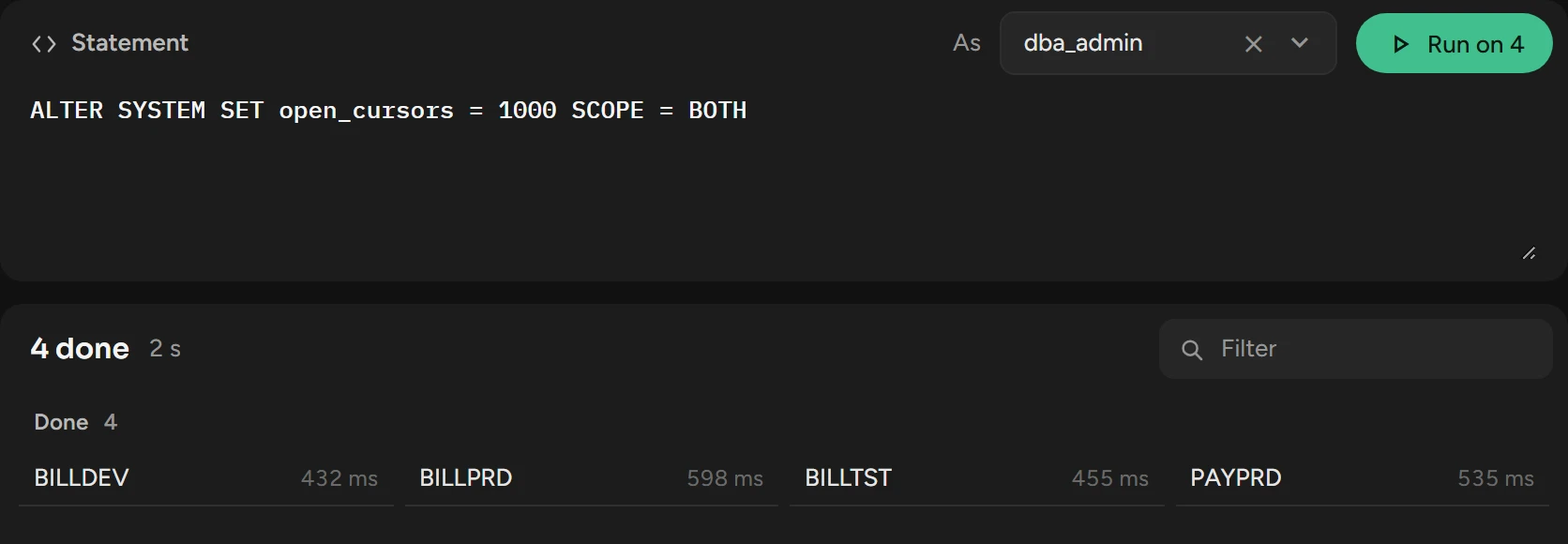
Scops runs the statement on one database after the other, and logs the run in the Multi-SQL category of Logs.
Selected databases that the filters hide also run. Scops commits a change on each database, and a failure does not undo the others.
Read the results
| You ran | What you see |
|---|---|
| A query | One table, with Database first. A value that differs from most rows is bold. Filter keeps the rows that contain your text. |
| Another statement | Done lists each database with its time, or the rows changed. |
Export the results
Run a query.
Click the download button above the table.
The Excel file has all rows, also the rows that Filter hides.
Group the results by a column
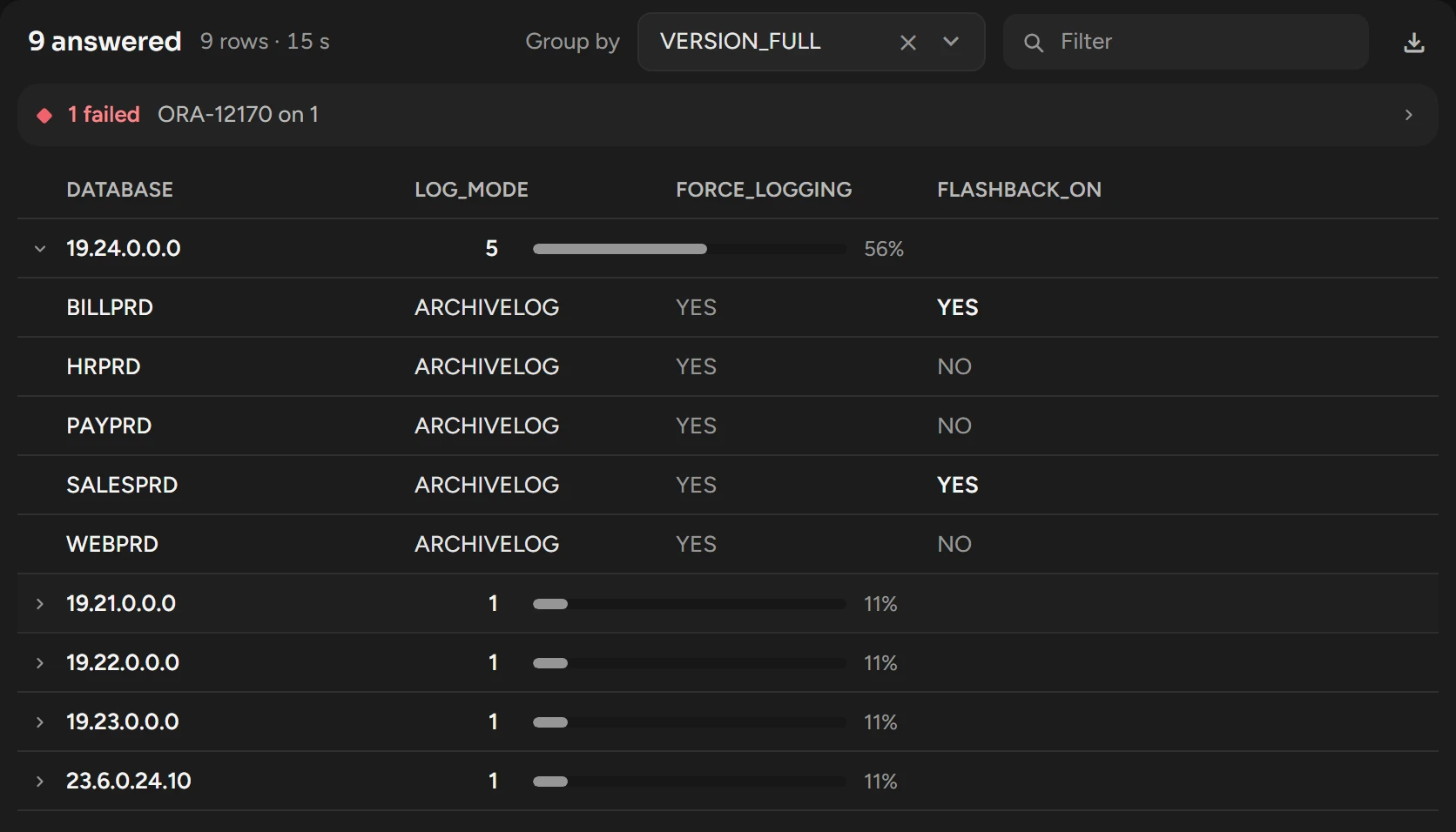
After a query, select a column under Group by. Scops counts the databases for each value.
Click a value to see its rows.
Run again on the failed databases
Click the failure line, such as 1 failed · ORA-12170 on 1, to see each error.
Correct the cause.
Click the select button at the end of the error, then Run on n.
Limits
| Limit | What happens |
|---|---|
| One statement | Scops refuses two or more. Put them in one PL/SQL block. A ; at the end, or a / on the last line, is correct. |
| 5,000 rows | By default, when a query reaches 5,000 rows in total, the next databases do not run. |
| Time | 10 seconds to connect, 10 minutes for a statement. |
| Session | Parallel query, DML and DDL are off. Dates are DD-MM-YYYY HH24:MI:SS. The module is SCOPS. |
Related
Updated October 31, 2026