Retention
A retention policy sets how long Scops keeps each kind of data for its databases. Open Policies › Retention.
Before you begin
- Changes need Manage Policies.
- Each database must be in a retention policy. A new database gets Default Retentions.
Change how long data is kept
Click the policy above the table.
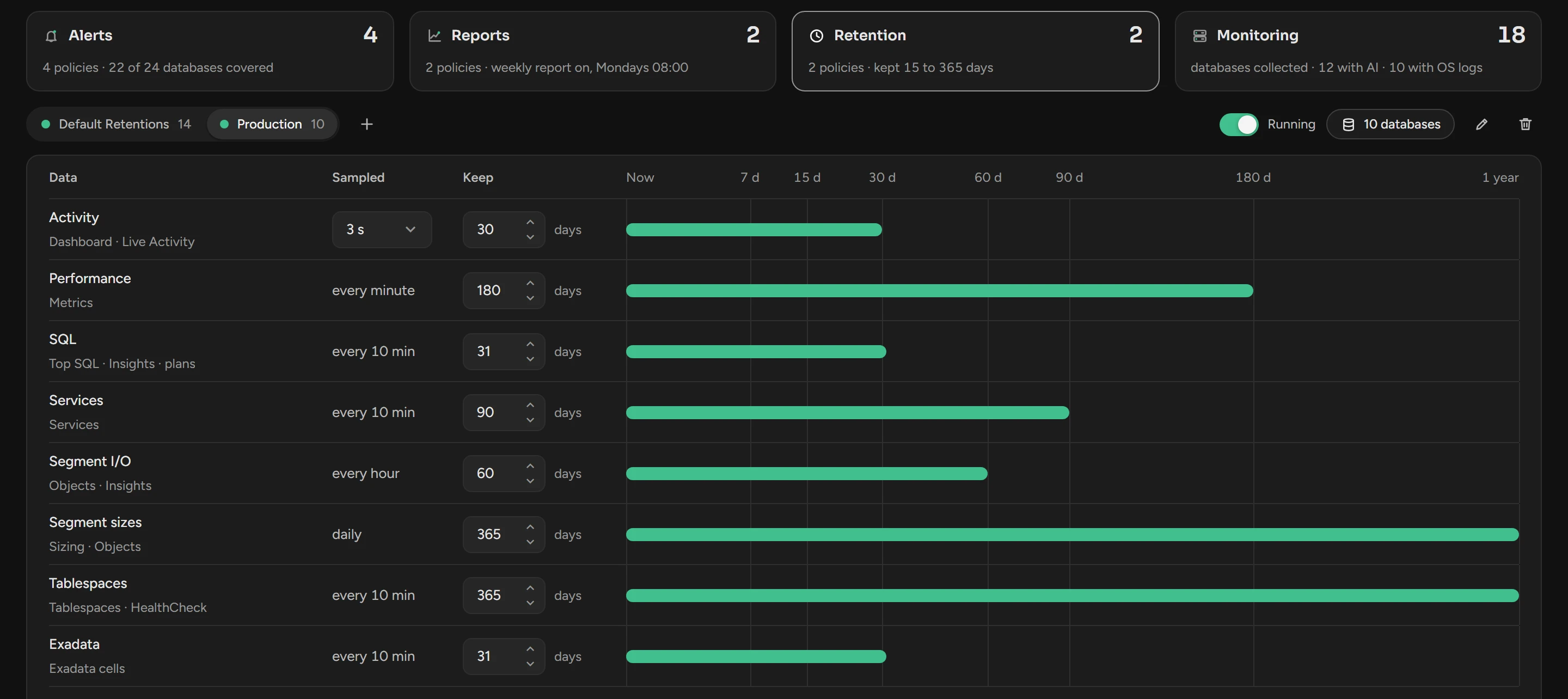
Change the days in Keep, from 1 to 365. For Activity, you can also change Sampled.
Click Save. To go back to the saved values, click Discard.
A lower value deletes data. At the next daily cleanup, Scops deletes the data that is older than the new value. The deleted data does not come back.
Faster sampling uses more space: a sample every second uses about five times the space of a sample every 5 seconds.
What each row keeps
| Data | Read by | Sampled | Default Retentions keeps |
|---|---|---|---|
| Activity | Dashboard, Live Activity | Every 1, 3, 5 or 15 s (5 s by default) | 15 days |
| Performance | Metrics | Every minute | 90 days |
| SQL | Top SQL, Insights, execution plans | Every 10 minutes | 15 days |
| Services | Services | Every 10 minutes | 90 days |
| Segment I/O | Objects, Insights | Every hour | 30 days |
| Segment sizes | Sizing, Objects | Daily | 90 days |
| Tablespaces | Tablespaces, Health Check | Every 10 minutes | 90 days |
| Exadata | Exadata cells | Every 10 minutes | 31 days |
Scops also keeps hourly and 5-minute summaries for at least 32 days. A chart of the last month keeps its shape.
Radar findings are not in a retention policy. Scops keeps each finding for 30 days from when Radar raised it, then deletes it. A finding that is still open stays while it is open. See How findings end.
Create a retention policy
Click the + button after the policies.
Type a Name and click Create Policy.
Click its database count and select the databases. Click Save.
A database that you add leaves its old retention policy. For other days on one database, put it in another retention policy.
Stop, rename or delete a policy
- Running switch: a stopped policy deletes nothing. Scops keeps all the data of its databases until you start it again. In the Community edition, the limit of 15 days still applies.
- Pencil: rename the policy.
- Bin: delete the policy. Its databases go to Default Retentions.
Community keeps 15 days
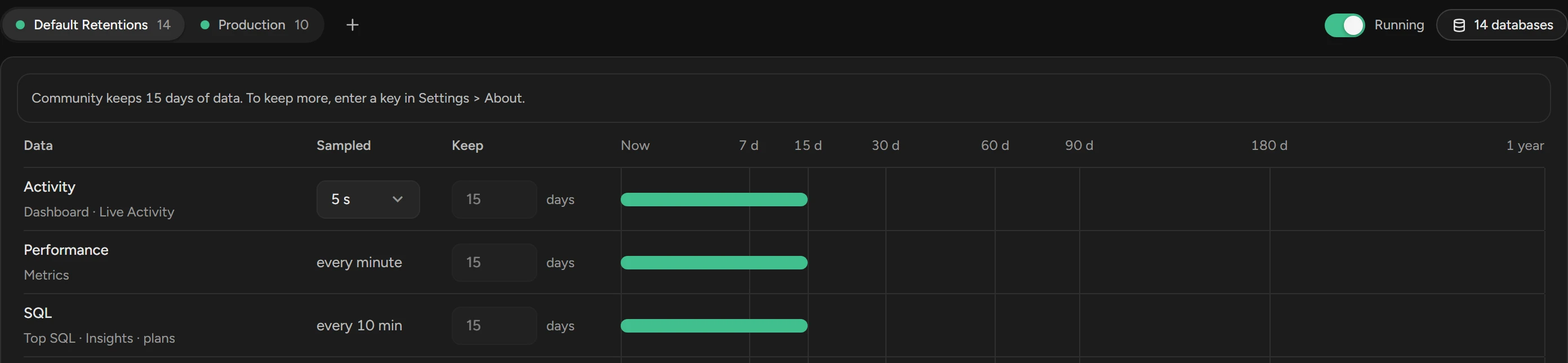
In the Community edition, Scops keeps 15 days of all data, and you cannot change Keep. When you activate a license key, the days of the policy apply again. See Editions and activation.
Related
Updated November 5, 2026