General
Set the formats, the sign-in limits and the AI language for all users, and sign out all users.
Before you begin
You need Manage Settings. All sessions also needs Manage users.
Change a setting
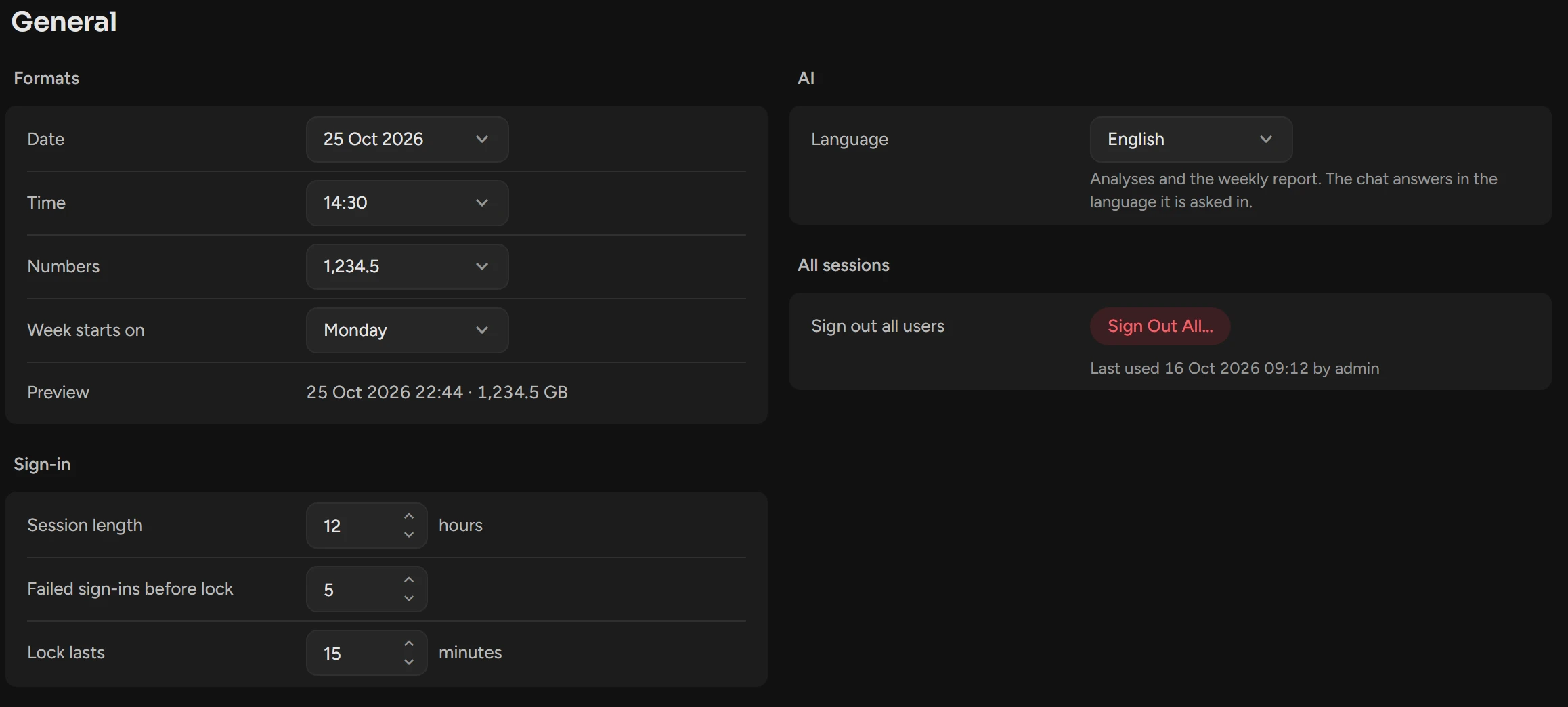
Open Settings › General and change the value. For a format, Preview shows the result.
Click Save in the header of the group.
All screens use the new formats at once. A new Session length applies to new sign-ins.
Settings
| Setting | What it does | Default |
|---|---|---|
| Date | 25 Oct 2026 · Oct 25, 2026 · 25/10/2026 · 25.10.2026 · 2026-10-25 | 25 Oct 2026 |
| Time | 14:30 (24-hour) · 2:30 PM (12-hour) | 24-hour |
| Numbers | 1,234.5 · 1.234,5 · 1 234,5 | 1,234.5 |
| Week starts on | Monday · Sunday | Monday |
| Session length | How long a sign-in lasts: 1 to 168 hours. | 12 hours |
| Failed sign-ins before lock | Wrong passwords in a row that lock the account, also for LDAP users: 3 to 10. | 5 |
| Lock lasts | 5 to 60 minutes. There is no unlock button, but a restart of ScopsApi clears all counts. | 15 minutes |
| Language | The language of AI analyses and the weekly report: English, Français, Deutsch, Español, Italiano or Türkçe. | English |
Sign out all users
A role change applies at the next sign-in. To apply it now:
Under All sessions, click Sign Out All.
Click Sign Out All Users.
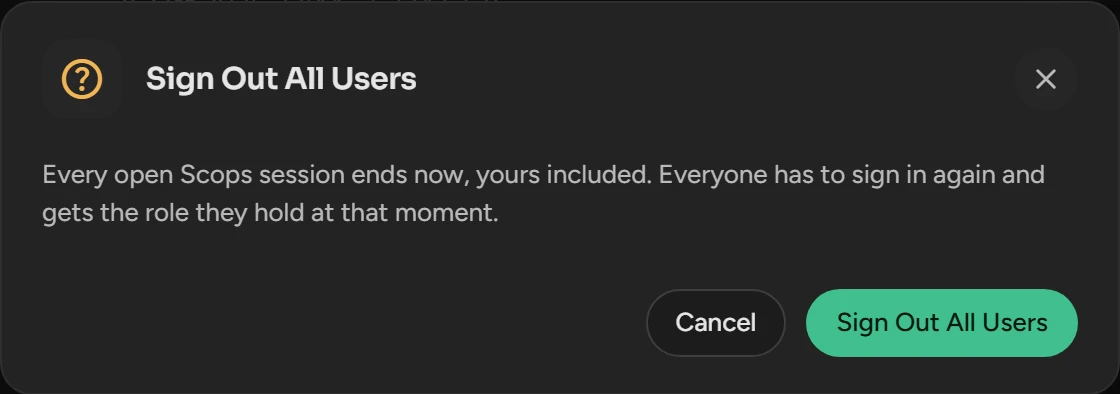
All sessions end, also yours.
Related
Updated October 29, 2026