Objects
Use Objects to find a table, index, view or code object of one database, read its live detail, and repair what does not work.
Before you begin
- You need the View Objects permission. The detail needs the Object details grants in Privileges.
- The tree is a catalog that Scops takes each day at 04:00 (the Schema Catalog job on the Jobs page), without the Oracle schemas. Before the first catalog, click Capture Now.
Find an object
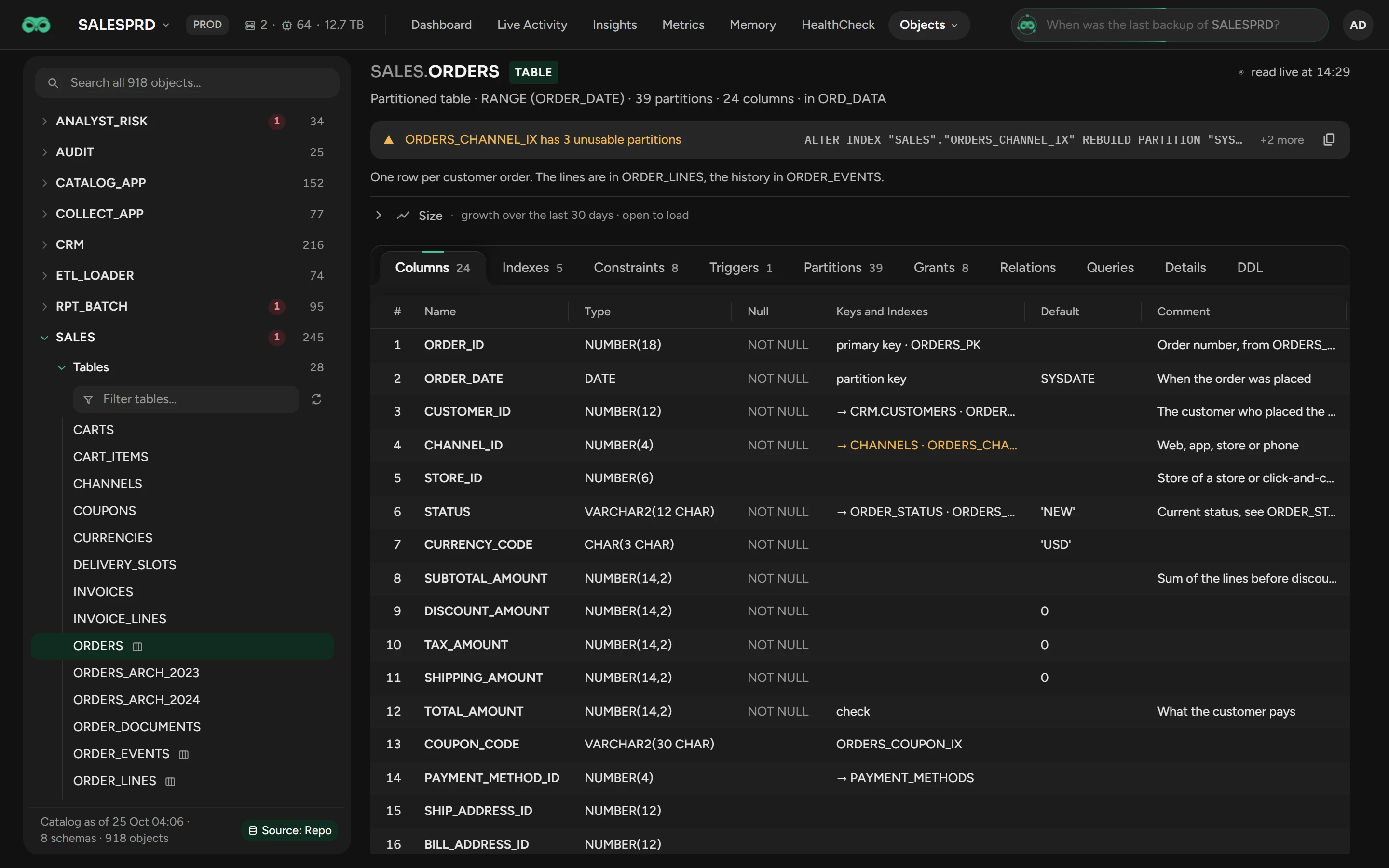
Type two or more characters of the name in the search box. Or open a schema, then a type folder, such as Tables.
Click the object. Scops reads its detail live from the database.
A red number counts the invalid objects in a schema or a folder. For an object created after the catalog, click the button of its folder to read it again.
Read the detail
The header shows a flag for each problem: INVALID, NEVER ANALYZED (no optimizer statistics), UNUSABLE, INVISIBLE, DISABLED (a trigger) or BROKEN (a job).
The tabs depend on the type of the object, for example Columns, Indexes, Partitions (the newest 20), Grants, Source, Errors and DDL. For a segment, Size shows its growth over 30 days.
Repair an object
When something does not work, a line under the header shows the statement that repairs it. Examples are an invalid package body or unusable index partitions.
Read the statement. +2 more counts the other statements that are necessary.
Click the copy button. It copies all the statements, up to 50.
Run them where you decide. Scops never runs them.
See the relations of an object
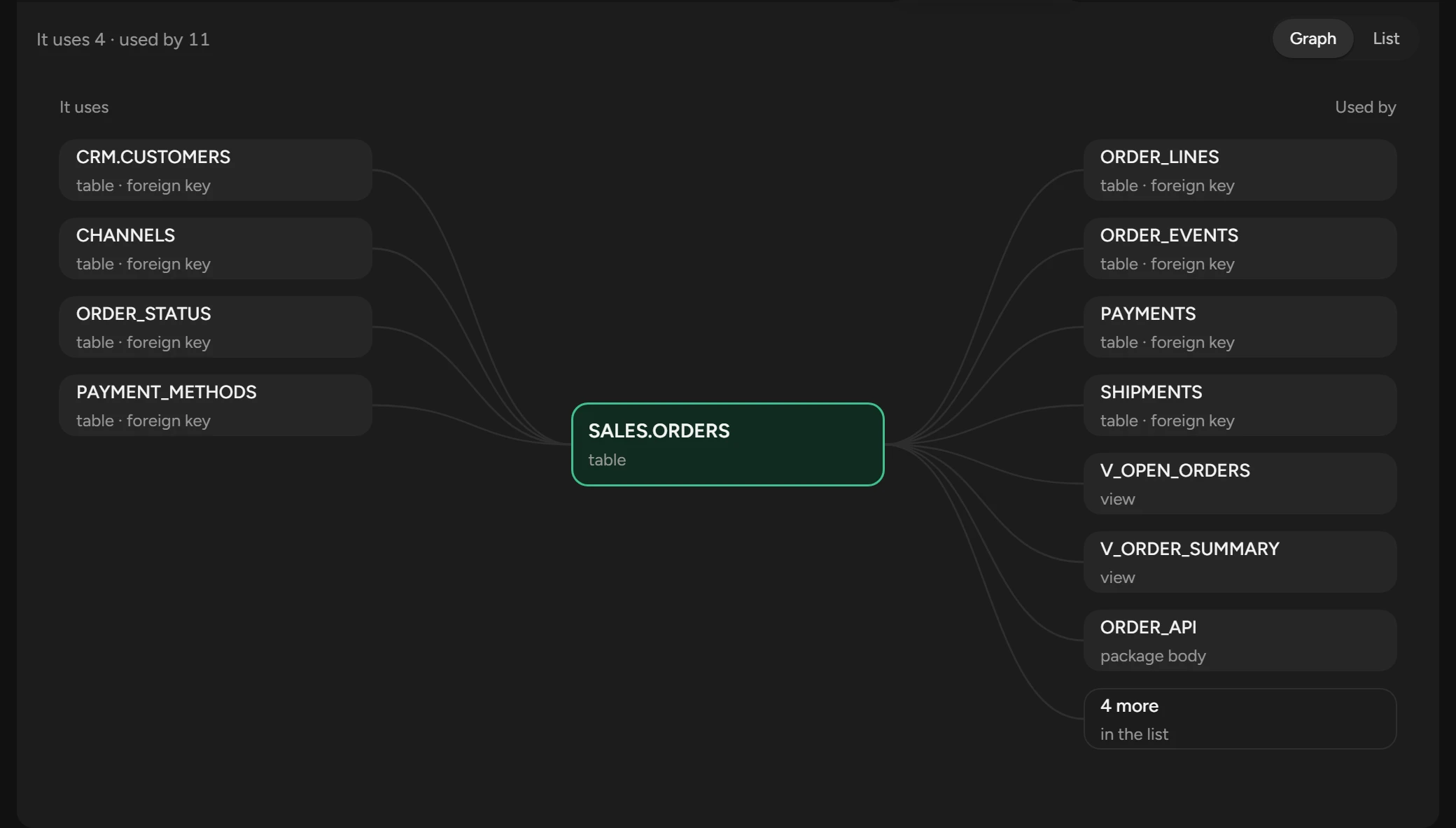
On Relations, It uses shows the tables that its foreign keys point to and the objects that it depends on. Used by shows the tables whose foreign keys point to it, and the views, code and triggers that depend on it.
Graph shows up to eight objects on each side, and List shows all. Click a name to open that object.
Find the statements that use an object
On the Queries tab of a table or index, click Load Queries. The list shows the statements whose plans used it in the last 7 days.
Rank them by Time, Runs, Blocks, Disk Reads, CPU or Rows, or turn on Full scans only.
Click a statement to see its SQL details.
Open the detail from another page
Click a table or index name on another page, such as Sizing or the SQL details sheet. The same detail opens in a window.
Related
Updated October 29, 2026