Automatic datafiles
Let the Tablespace Usage alert add a datafile, or grow a bigfile tablespace, when a tablespace on ASM crosses the levels of the rule.
Before you begin
- You need View Policies and Manage Policies.
- The monitoring account needs
ALTER TABLESPACE. See Feature grants. - Scops adds space only to permanent tablespaces on ASM. Make sure that the disk group has free space: Scops does not check it.
Turn on automatic datafiles
Open Policies › Alerts and click the alert policy.
Click the edit button on the Tablespace Usage row.
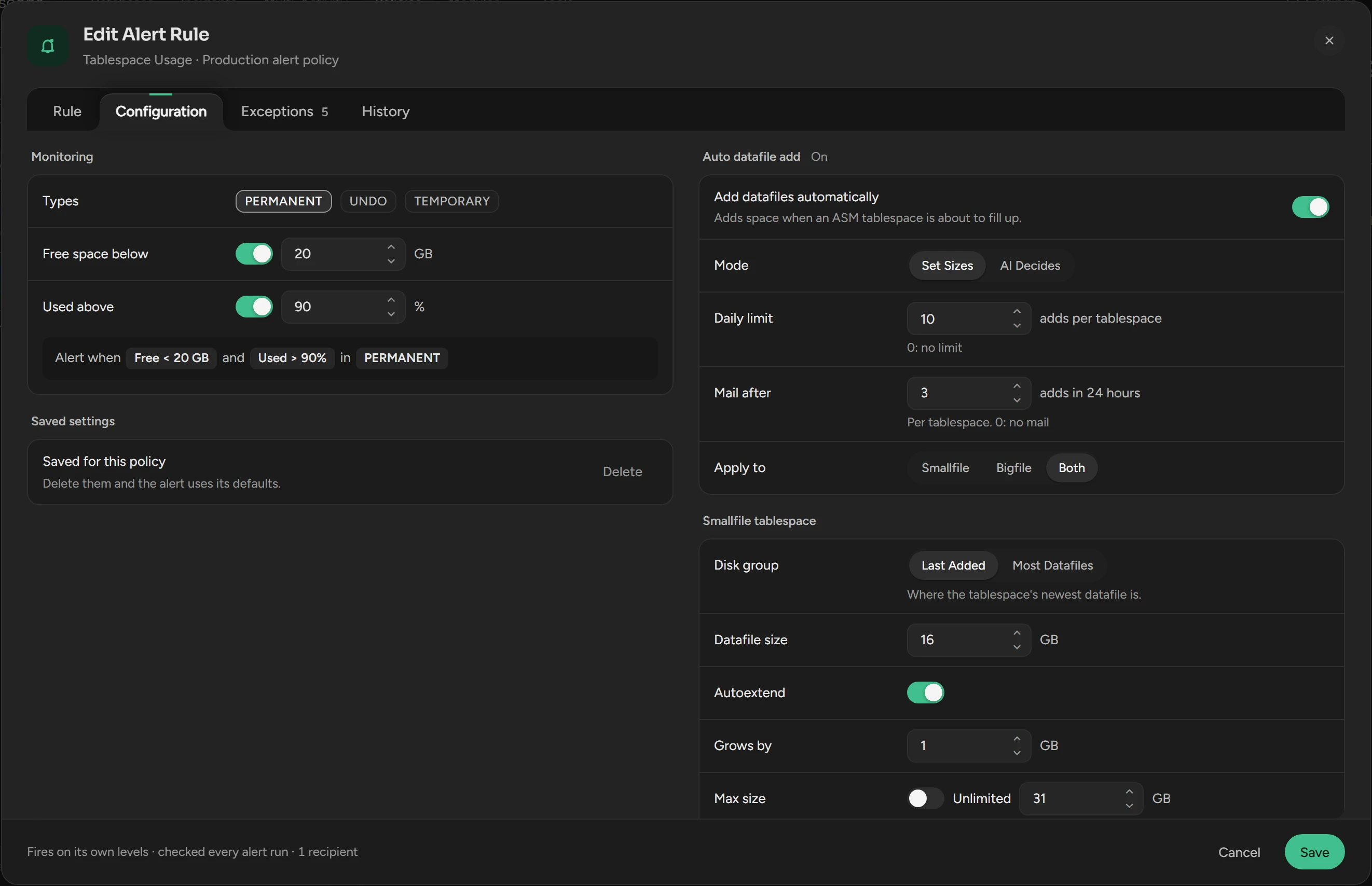
Open Configuration. On the left, check the tablespace Types and the levels.
Switch on Add datafiles automatically. Set the mode, the limits and the sizes. See Settings.
Click Save.
When a tablespace crosses the levels, Scops adds space and the alert stays closed. The alert opens only if Scops cannot add: at the daily limit, or when a check or the statement fails.
Keep a tablespace or a database out
In the rule, open Exceptions.
For a tablespace, add it under Item exceptions with Ignore. For a database, add it under Database overrides with Alert off.
An item with Own threshold gets space at its own level. See Alert policies.
Settings
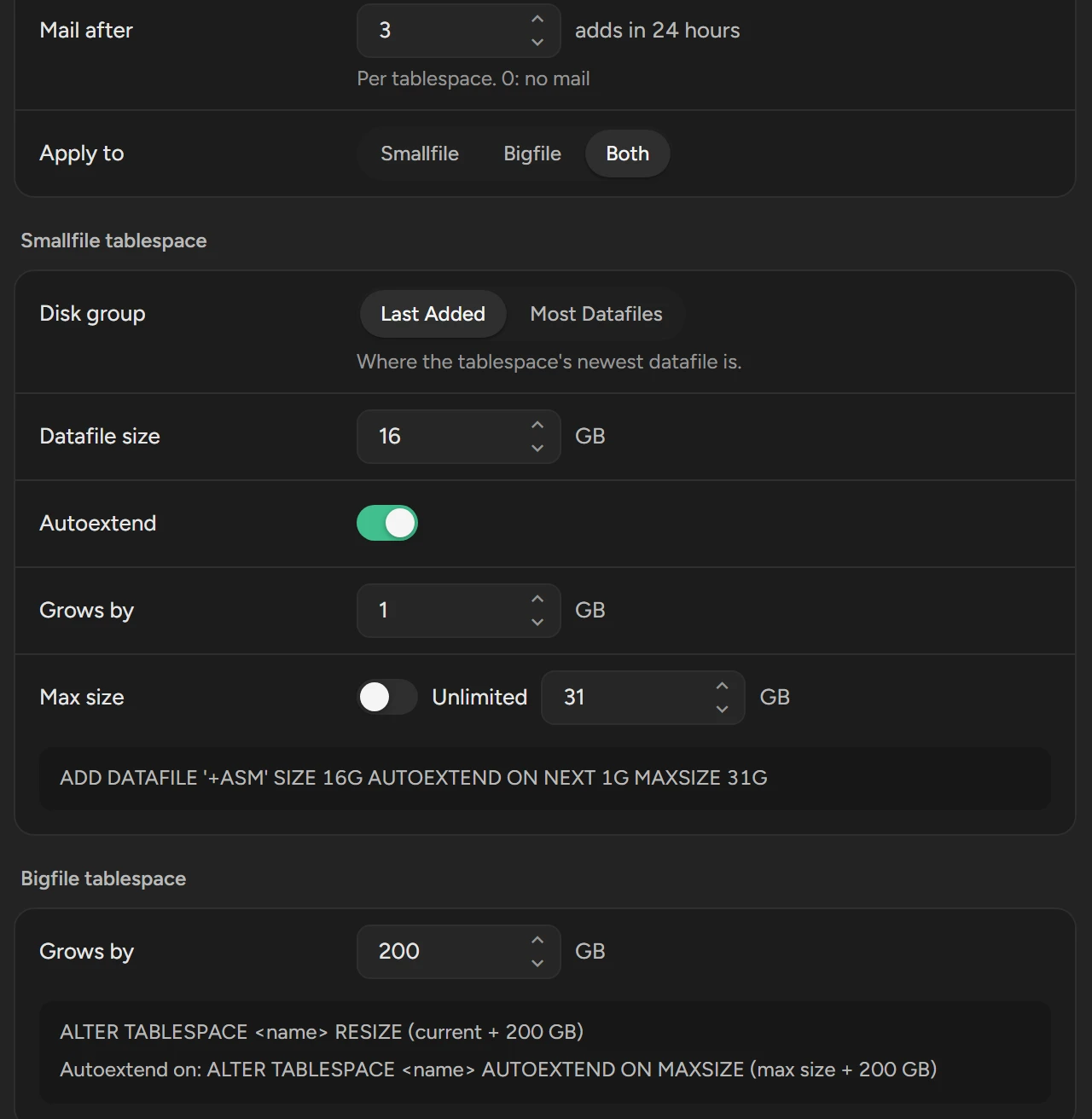
| Setting | What it does | Default |
|---|---|---|
| Mode | Set Sizes uses the sizes below. AI Decides lets Scops AI select the size of each new datafile. | Set Sizes |
| Daily limit | Adds for one tablespace in 24 hours. 0 means no limit. | 10 |
| Mail after | Sends one information mail to the recipients of the rule when a tablespace reaches this many adds in 24 hours. 0 means no mail. | 3 |
| Apply to | Smallfile, Bigfile or Both. | Smallfile |
| Disk group (smallfile) | Last Added: the disk group of the newest datafile. Most Datafiles: the disk group with most datafiles. | Last Added |
| Datafile size (smallfile) | The size of a new datafile. | 1 GB |
| Autoextend (smallfile) | Creates the datafile with AUTOEXTEND ON, by Grows by, up to Max size or Unlimited. | On, 1 GB, 32 GB |
| Grows by (bigfile) | What Scops adds to the size, or to the max size if autoextend is on. | 1 GB |
If a size is too large for the block size of a database, Scops makes it smaller for that database and says so in History.
With AI Decides, Scops AI selects from Datafile size to twice that size, never above Max size. If Scops cannot ask Scops AI, it uses a fixed rule: up to twice Datafile size when adds repeat.
Read the history
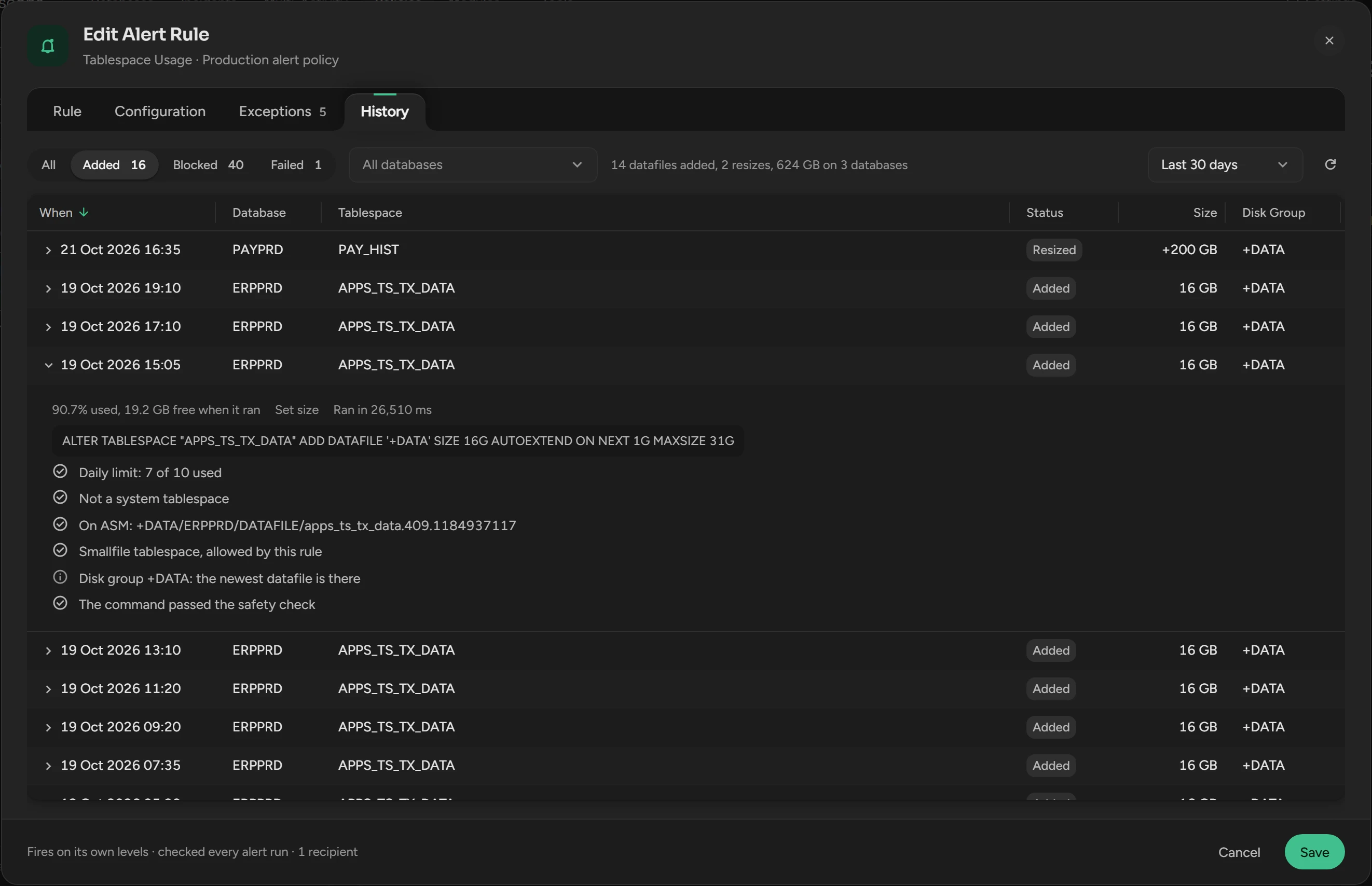
Open the History tab of the rule. It shows Added first. All, Blocked and Failed show the rest.
| Status | What it means |
|---|---|
| Added | A new datafile. Size is its size. |
| Resized | A bigfile tablespace got a larger size or max size. Size is the gain. |
| Blocked | A check stopped the add before the statement ran. |
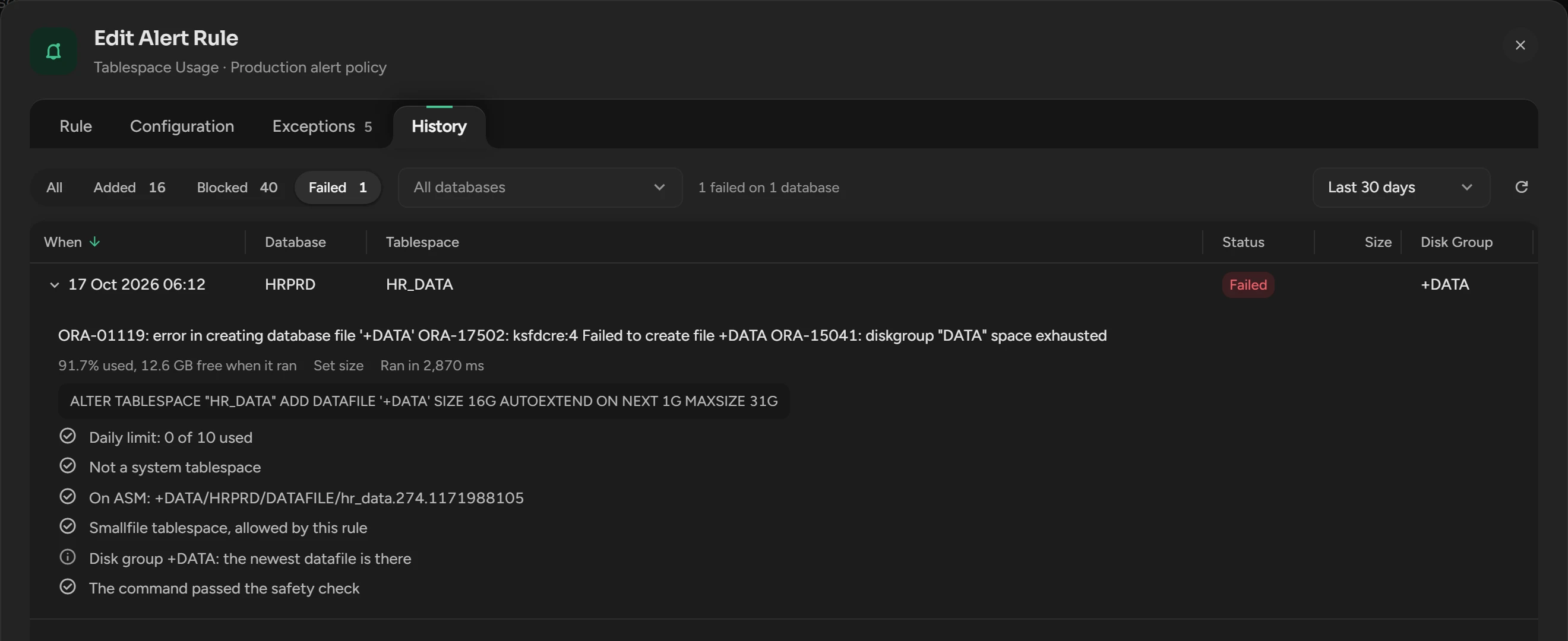
| Failed | Oracle refused the statement. The row shows the Oracle error. |
| Unconfirmed | Scops wrote the statement but not its result, for example because Scops stopped. Check the tablespace. |
Turn off automatic datafiles
Switch off Add datafiles automatically and click Save. The alert continues. Scops never drops or shrinks a datafile, also one that it added.
Related
Updated October 29, 2026