Migrations
Check that the repository schema matches this version of Scops, and retry a change that failed.
Before you begin
You need Manage Settings. ScopsApi applies the changes when it starts, mainly after an upgrade.
Check an upgrade
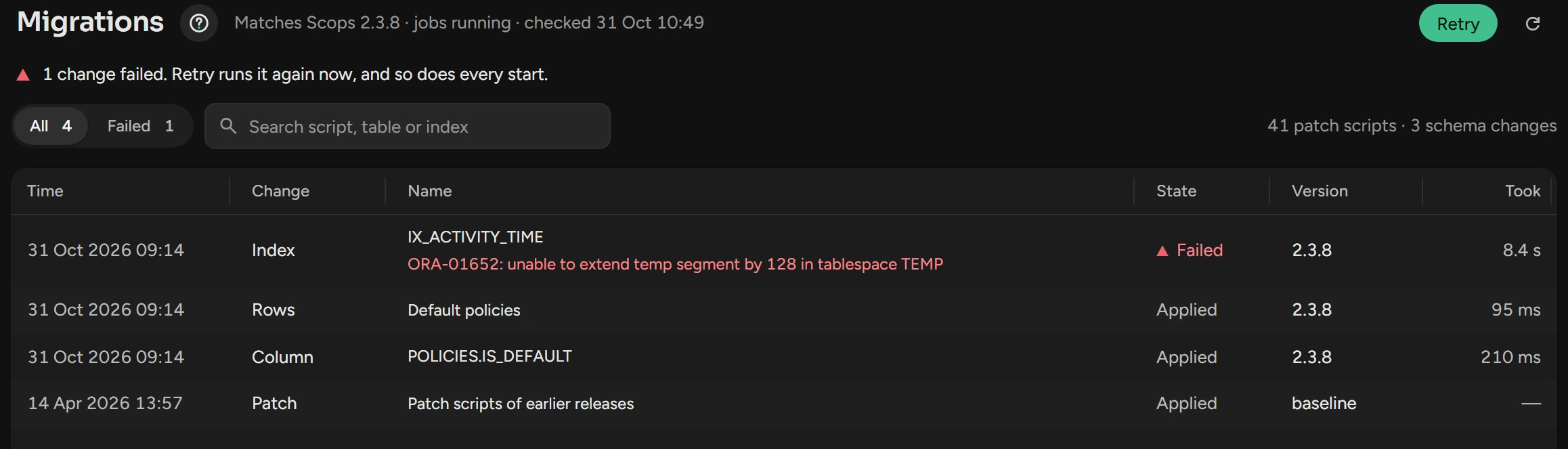
After the upgrade, open Settings › Migrations. On a large repository, the first start can take some minutes.
Make sure that the line beside the title shows Matches, and that Failed shows 0.
Fix a failed change
Click the failed row. The panel shows the Error and the Statement.
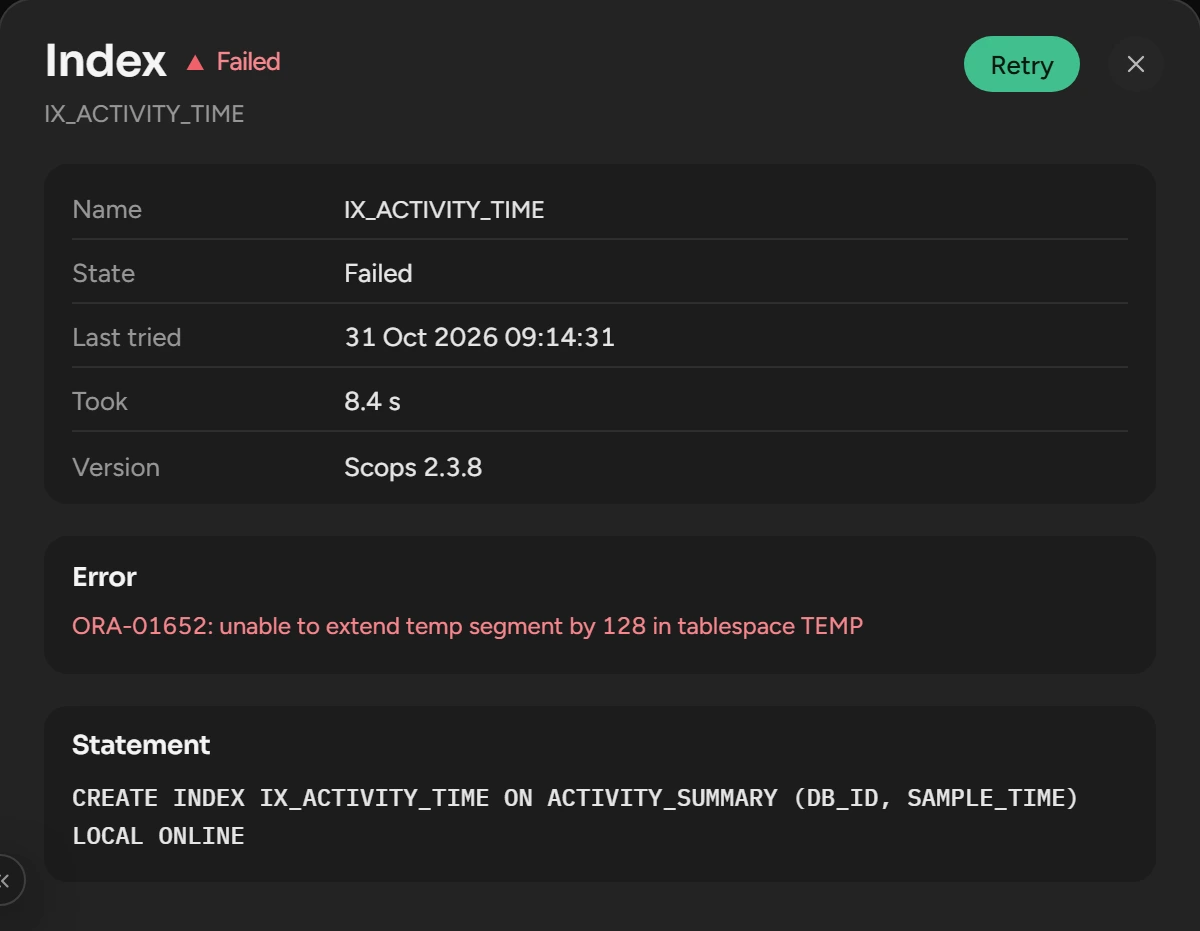
Correct the cause in the repository database, for example a full tablespace or a missing privilege.
Click Retry. Scops runs the changes that failed or wait, with no restart.
If Scops refuses the repository, nothing runs. See The repository is not available.
What you see
| State | Meaning |
|---|---|
| Matches | The schema is correct for this version. |
| Incomplete | A table or column is missing. Scops stops collection, alerts and Scops AI until the schema is complete. |
| Applied, Running, Pending | The change is done, runs now, or waits to run. |
| Failed | Scops tries again at each start. |
| Unfinished | A failed cleanup of an earlier release. This version does not run it again. |
Related
Updated October 29, 2026