Statistics
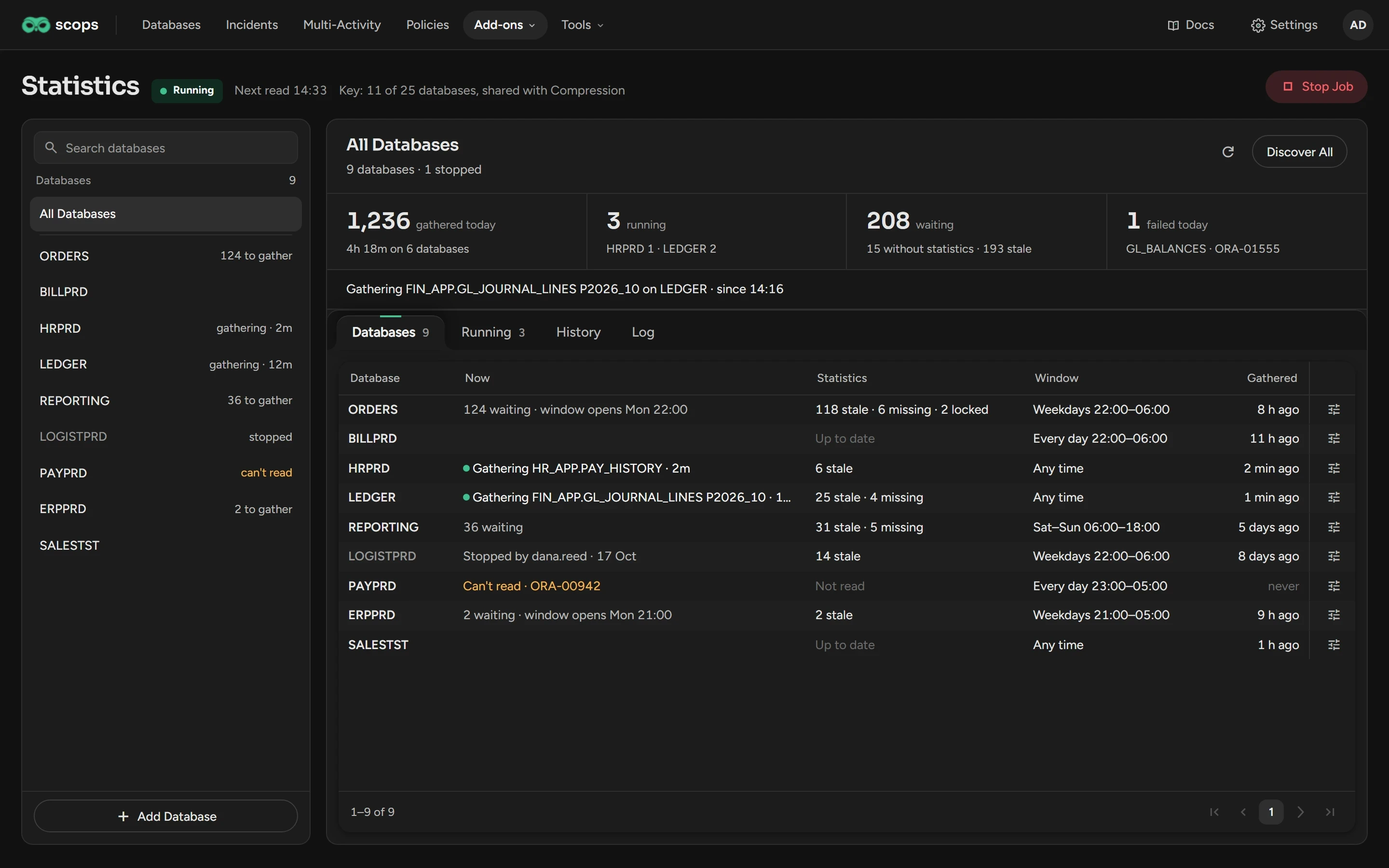
Add a database to Statistics, and Scops gathers its stale and missing optimizer statistics with DBMS_STATS inside the window that you set.
Before you begin
- View Statistics opens the page. Manage Statistics changes databases and profiles. Run Statistics starts, stops and gathers.
- The monitoring account needs the Statistics grants, such as
ANALYZE ANY, andALTER SYSTEMto stop a gather. See Feature grants. - Compression and Statistics use one license. A database in both counts once. See When you reach a limit.
Add a database
Open Add-ons › Statistics and click Add Database.
Select the Database.
Set When, the scope and the Profile. See Settings.
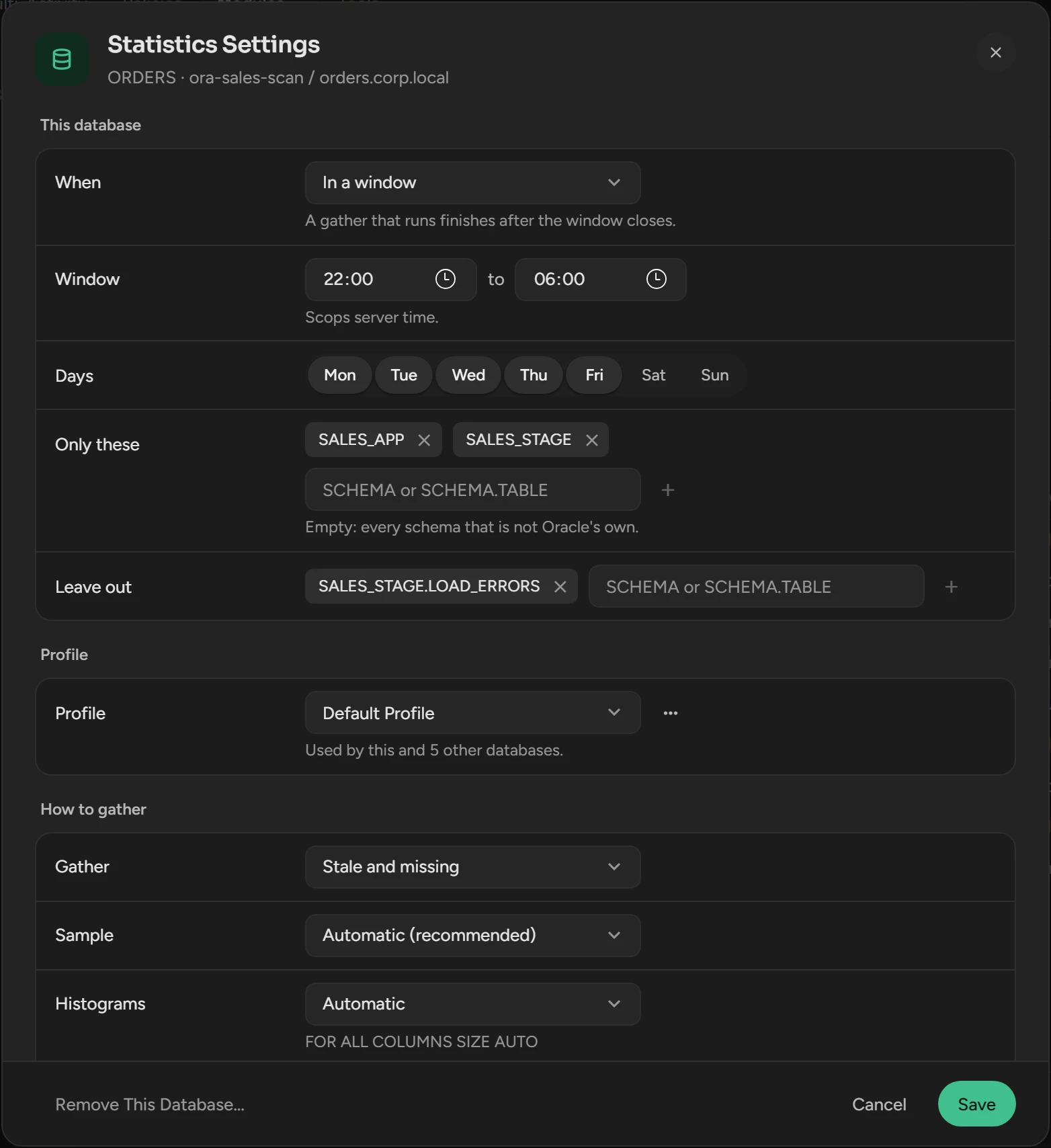
Click Add. Within a minute, Scops reads the database and fills its queue.
If the badge next to the title shows Stopped, click Start Job.
Set the window
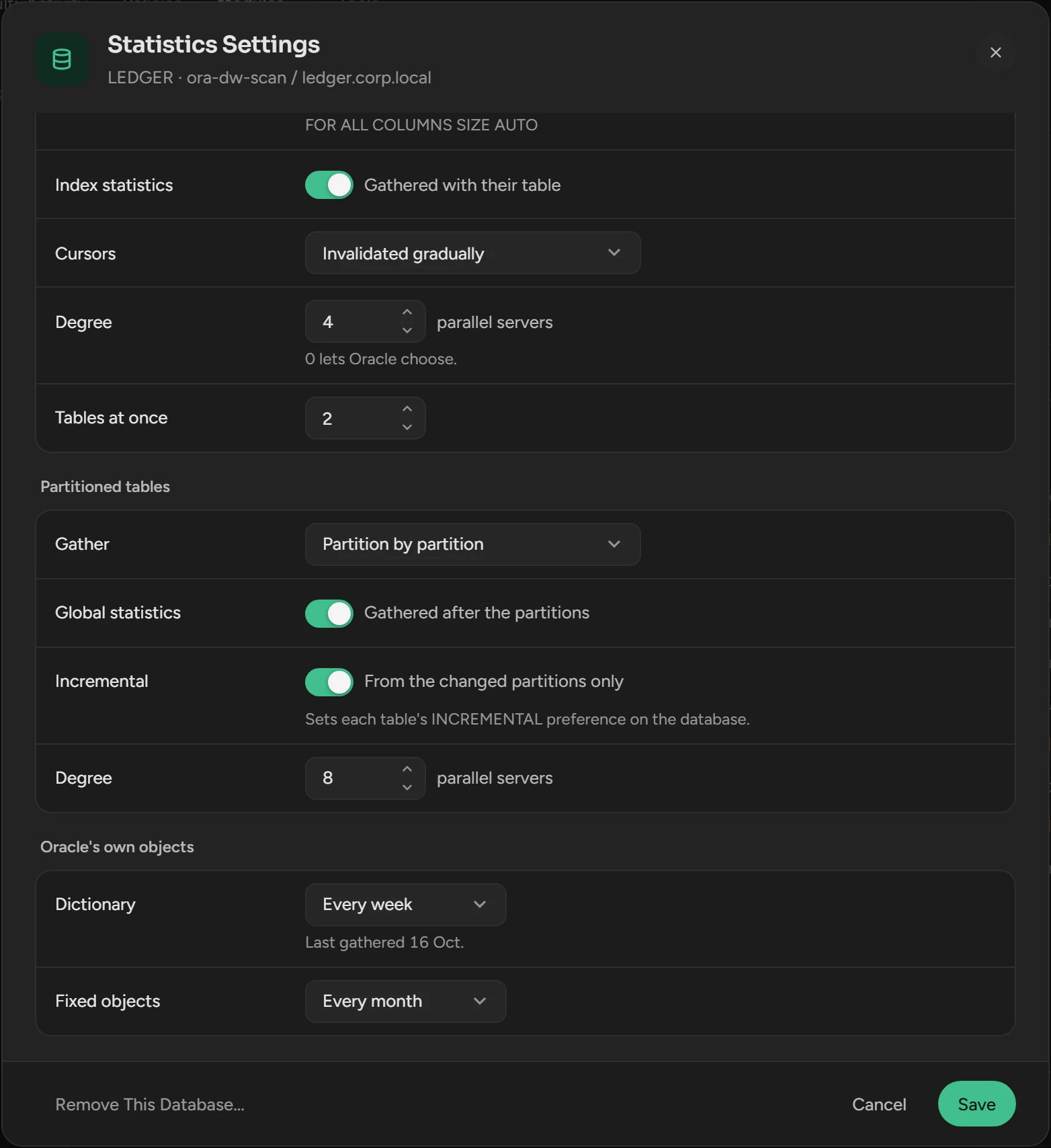
Click the database, then Settings.
Set When to In a window.
Set the Window times, on the clock of the Scops server, and the Days.
Click Save.
A gather starts only inside the window. A gather that runs when the window closes continues to the end.
Change a profile
Click the database, then Settings.
Change the profile settings. Scops shows how many other databases use the profile.
To change only this database, click Save as a New Profile Instead.
Click Save.
The button next to Profile has New Profile, Rename and Delete This Profile. You cannot delete a profile in use.
Gather a table now
| To gather | Do this |
|---|---|
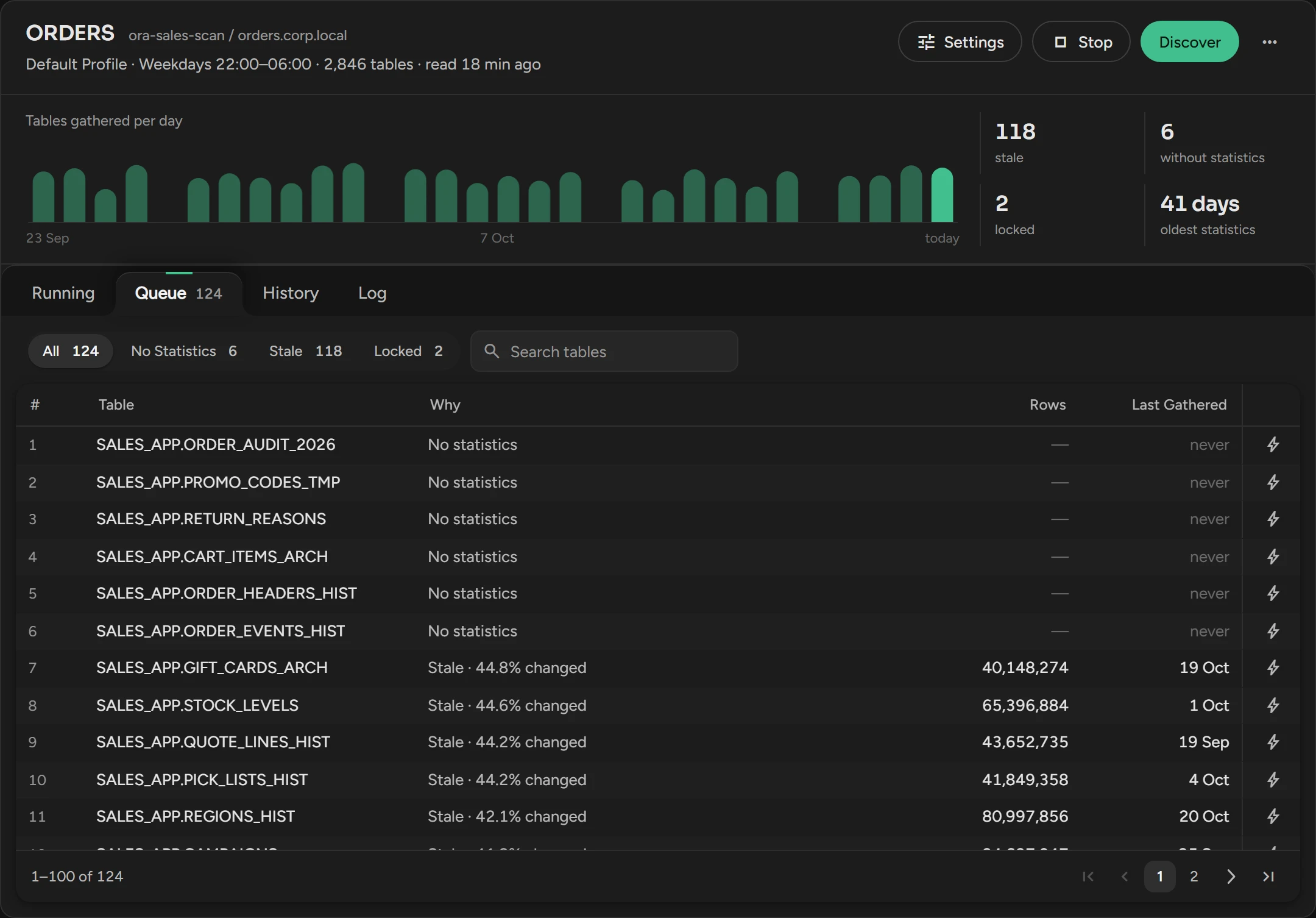
| A table in the queue | On Queue, move the pointer over its row, then click the bolt. |
| A table or partition not in the queue | Click More, then Gather a Table Now. |
| Oracle's own objects | Click More, then Gather Dictionary Statistics Now or Gather Fixed Objects Statistics Now. |
A table that you ask for starts within a minute, also outside the window or while Statistics is stopped. Scops never gathers a table with locked statistics.
Update or empty the queue
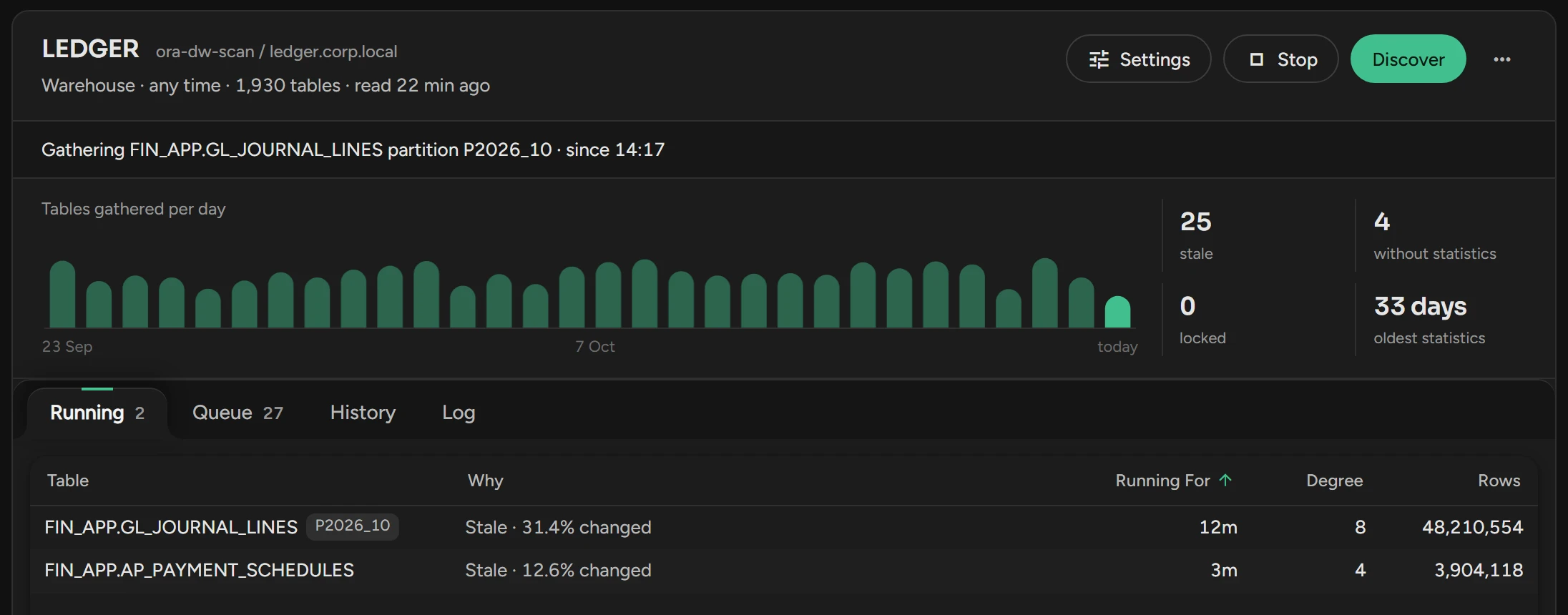
- Scops reads each database every hour. To read it now, click Discover. Discover All reads all databases that are on.
- To remove all waiting gathers, click More, then Empty the Queue. The next read adds back what is still stale or missing.
Retry failed gathers
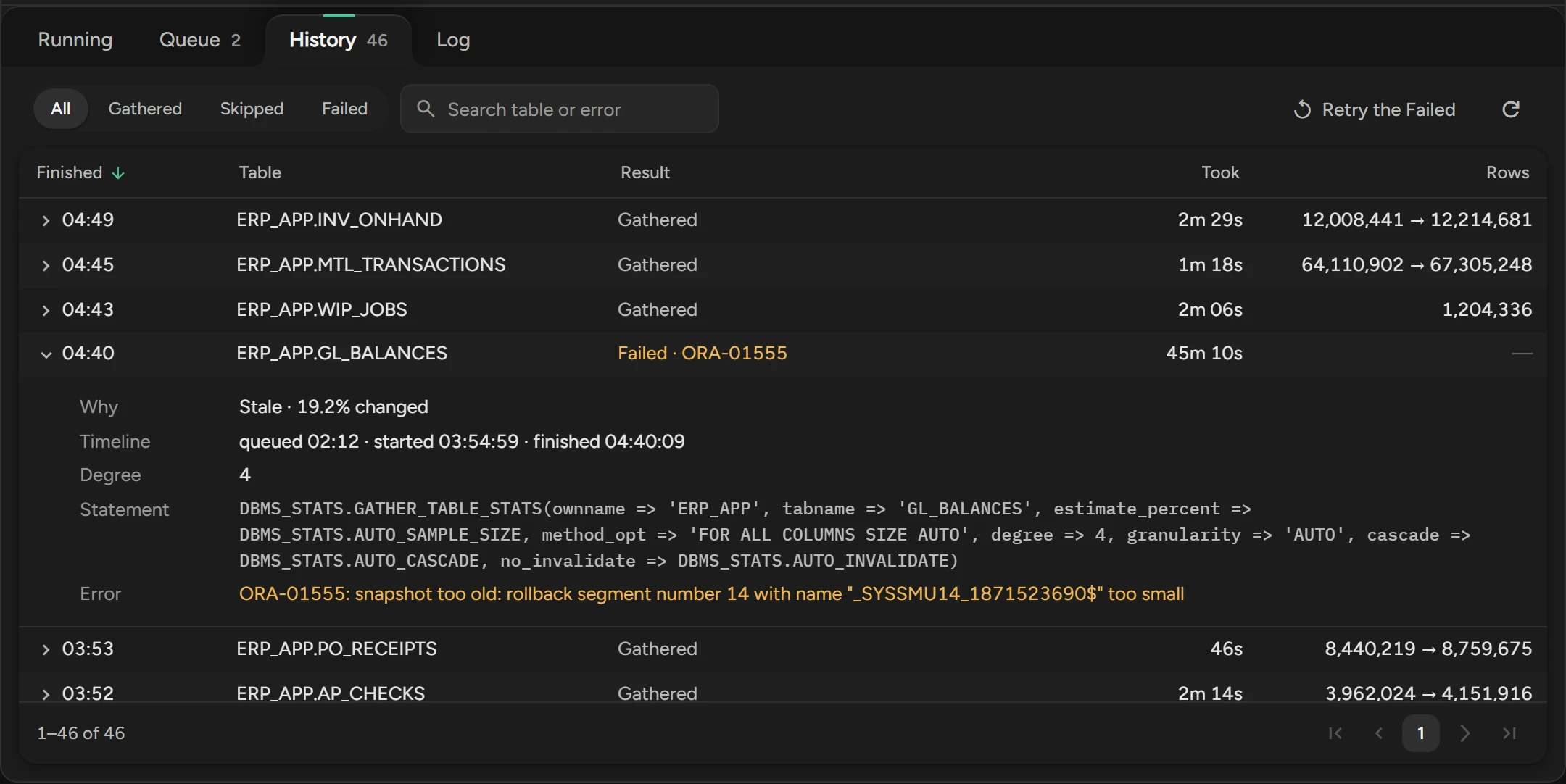
Click the database and open History.
Open a Failed row to see the call and the error. Correct the cause.
Click Retry Failed. Scops puts all failed tables at the front of the queue.
A gather that runs for 4 hours stops and fails. Without a retry, a failed table waits 12 hours before the next read queues it again.
Skipped is not a failure: the statistics were locked, or the table was dropped. Scops keeps the history for 90 days.
Stop and start
| To stop | Click | To start again |
|---|---|---|
| All databases | Stop Job | Start Job |
| One database and its hourly read | Stop on the database | Start |
Scops kills the running gathers at once and queues them again. Without ALTER SYSTEM, a gather continues, and the log says so.
Remove a database
Click More on the database, then Remove From Statistics. Scops keeps its history.
Settings
| Setting | What it does | Default |
|---|---|---|
| When | Any time, or In a window. A window that ends after midnight belongs to the day it starts on. | Any time |
| Only these, Leave out | The scope: SCHEMA or SCHEMA.TABLE. Oracle's own schemas are never in scope. | All schemas |
| Profile | The settings below. | Default Profile |
| Gather | Stale and missing, Stale only, Missing only, or Every table, once a day. | Stale and missing |
| Sample | Automatic (recommended), or A fixed percent from 1 to 100. | Automatic |
| Histograms | The METHOD_OPT: Automatic, Only skewed columns, None, Indexed columns only or Custom. | Automatic |
| Index statistics | Gathers the indexes with the table. | On |
| Cursors | Invalidated gradually, Never invalidated, or Invalidated at once, which can cause many hard parses. | Invalidated gradually |
| Degree | Parallel servers for a table, 0 to 64. 0 lets Oracle select. | 4 |
| Tables at once | Gathers at the same time on the database, 1 to 16. | 2 |
| Partitioned tables › Gather | The whole table, or Partition by partition and then the Global statistics. | The whole table |
| Incremental | Sets INCREMENTAL to TRUE on partitioned tables. The preference stays if you switch it off. | Off |
| Partitioned tables › Degree | Parallel servers for a partitioned table. | 8 |
| Dictionary, Fixed objects | Never, Every week or Every month. | Never |
At most 256 databases gather at the same time: At once of the Statistics job in Job Settings.
Related
Updated November 3, 2026