Troubleshooting
Find the cause of a problem and correct it. Run the commands on the Scops server, in a command prompt opened as administrator.
The web page does not open
Open
https://localhost:5138on the server. If it opens there only, check the firewalls.In
services.msc, make sure that ScopsApi and ScopsWeb are Running. After an upgrade, ScopsApi can stay Starting for some minutes.Check the port: see Find the address of a server.
Read the logs.
Internet Explorer cannot open Scops. Use Edge, Chrome or Firefox.
Setup said verification failed
A service did not start. The Starting Scops page of Setup shows the reason. Correct the cause and click Try Again. Or click Next, correct the cause later and start the services in services.msc. A silent installation ends with exit code 10.
The certificate warning
Browsers warn because Scops starts with its own certificate. See Trust the Scops certificate.
- The warning came back: Scops renewed its certificate. Install the new
Scops-ui.cer. - The warning shows for one address only: add the name to the certificate.
- Scops does not use your company certificate: read the
HTTPS certificate:line of the ScopsWeb log. - Firefox still warns: turn on its enterprise roots setting.
Reset the admin password
Run:
"C:\Program Files\Scops\api\Scops.Api.exe" --reset-admin-passwordType the new password two times (8 characters or more).
Sign in as
adminwith the new password.
To reset a different local user, add the name: --reset-admin-password jane.doe. If admin is missing, the command creates it again. The command does not change LDAP users.
A port is taken
- In Setup, the Ports page refuses a port that another program uses. Select a different port. To find the program, run
netstat -ano | findstr :5138. - After a change in Settings › Connection, if a saved port is not free at start, ScopsWeb uses the ports in its configuration file. The Ports group shows a warning.
- If ScopsApi does not start, remove the saved ports, then restart ScopsWeb and ScopsApi:
"C:\Program Files\Scops\api\Scops.Api.exe" --reset-portsThe sign-in page shows a notice
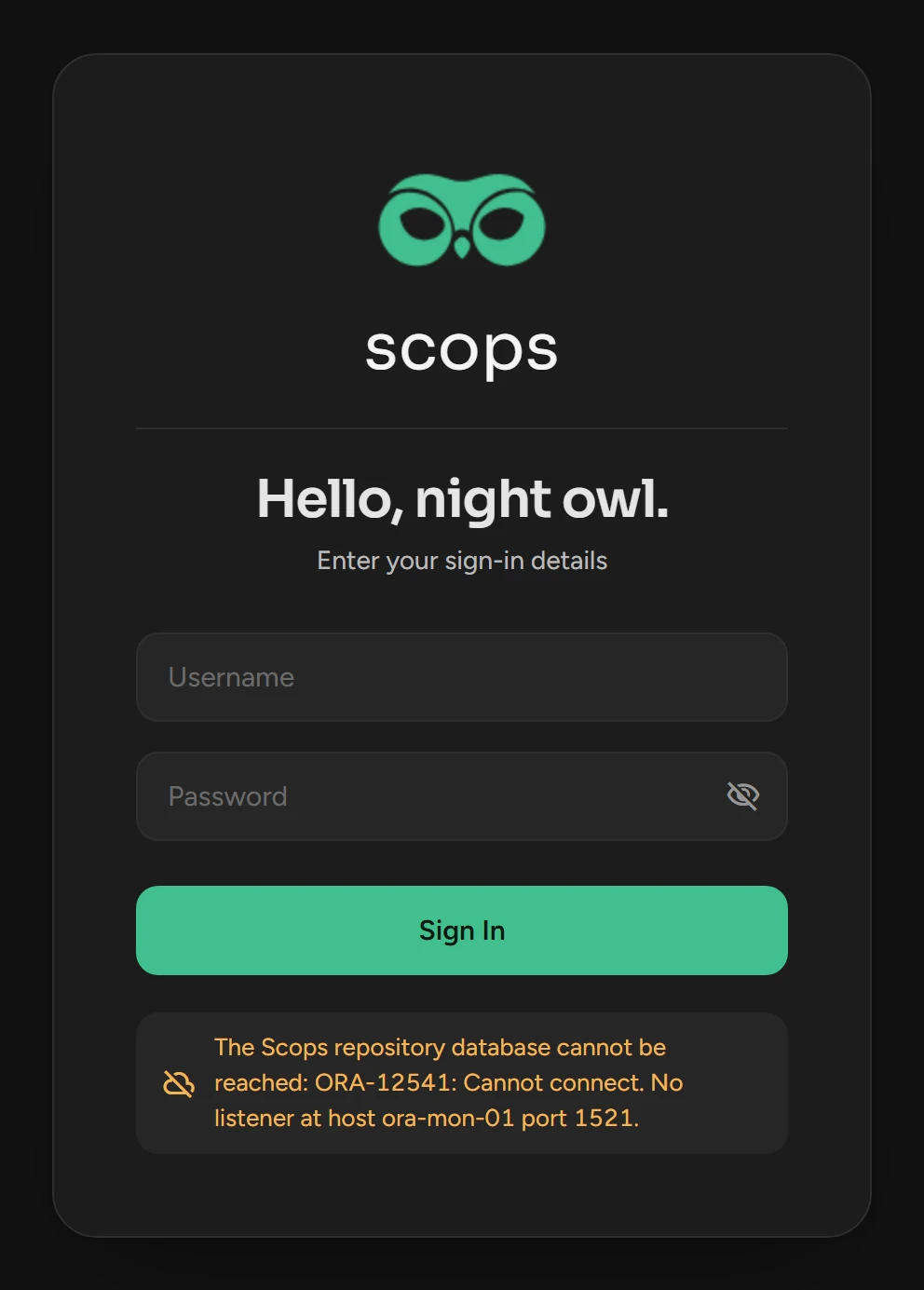
| The notice says | What to do |
|---|---|
| The Scops repository database cannot be reached: Oracle error | Correct what the error names: the database, the listener or the account. Scops starts all work again by itself. |
| Scops is held: its repository schema is incomplete. | Sign in as an administrator and retry the failed step in Settings › Migrations. |
| The saved repository connection cannot be read on this server. | Run Setup again and enter the repository connection. |
| Scops is not set up on this server yet | Run Setup. |
The repository moved or has a new password
In
C:\Program Files\Scops\api\appsettings.json, replace the value ofcsRepowith the new connection string, in plain text:"ConnectionStrings": { "csRepo": "Data Source=(DESCRIPTION=(ADDRESS_LIST=(ADDRESS=(PROTOCOL=TCP)(HOST=ora-mon-01)(PORT=1521)))(CONNECT_DATA=(SERVER=DEDICATED)(SERVICE_NAME=SCOPSREPO)));User Id=scops;Password=<password>" }Restart ScopsApi and ScopsWeb. ScopsApi encrypts the value again.
The Under Maintenance page
This is not an outage. An administrator turned on maintenance mode in Settings › About, and only administrators can sign in.
A database cannot connect
Test Connection shows the Oracle error. For a database that you added, click its status mark on the Databases page.
| Error | Cause | What to do |
|---|---|---|
ORA-12541, ORA-12545 | No listener, or no such host. | Start the listener, or correct the host and port. |
ORA-12514 | The listener does not know the service. | Correct the service name. Make sure that the PDB is open. |
ORA-01034, ORA-27101, ORA-01033 | The instance is down, or it starts or stops. | Start the instance, or wait and test again. |
ORA-12528, ORA-01035 | The database allows only restricted sessions. | Wait for the startup, or end restricted mode. |
ORA-01109, ORA-01219 | The database is not open. | Open it. Scops cannot monitor a mounted standby. |
ORA-01017 | Wrong user name or password. | Correct the credential in Settings › Security. |
ORA-28000, ORA-28001 | The account is locked, or its password expired. | Unlock the account, or set a new password and update the credential. |
ORA-01045 | No CREATE SESSION. | Grant it. See Database user privileges. |
ORA-12516, ORA-12519, ORA-12520, ORA-00020, ORA-00018 | No free process or session. | Check PROCESSES and SESSIONS. |
ORA-00257 | The archiver is stuck. | Free space in the archive log destination. |
ORA-50000 | No answer within the connection timeout. | Check the host, the port and the firewalls. The timeout is in Settings › Connection. |
Find the logs
| Where | What |
|---|---|
| Settings › Logs | The log of Scops in the repository. |
C:\Program Files\Scops\api\logs\diag-<date>.log | Start, stop and failures of ScopsApi. |
C:\Program Files\Scops\api\logs\startup-crash.log | Why ScopsApi could not start. |
C:\Program Files\Scops\blazor\logs\diag-<date>.log | Start, stop, address and certificate of ScopsWeb. |
C:\Program Files\Scops\setup-logs\setup-<version>-<date>-<time>.log | Each run of Setup, from when you click Install. The last line is the last step of Setup. |
| Windows Event Viewer | Service starts and stops. |
Scops keeps the diag logs for 30 days. Only administrators can read the logs and setup-logs folders.
Related
Updated October 31, 2026